Company
Private project
Year
2026
Team
Role
Vibe coding
Company
Private project
Year
2026
Team
Role
Vibe coding
I recognized time consuming tasks that slow me down and automated them
The challenge
Making my day to day more controllable and efficient.
The Catch
I didn't find the right apps that will serve me and deliver the features I need.
What I did
So I built both apps myself. One to manage the family's money, one to run my day to day.
The result
1,000 NIS added to the family's monthly savings
3X more efficiency in day to day tasks.
I recognized time consuming tasks that slow me down and automated them
The challenge: Making my day to day more controllable and efficient
The Catch: I didn't find the right apps that will serve me and deliver the features I need.
What I did: So I built both apps myself. One to manage the family's money, one to run my day to day.
The result: 1000 NIS addition to family monthly savings. 3X more efficiency in day to day tasks.
When the user is you
Expense Tracker
I couldn't find an app that made saving exciting and actually changed behavior around money. So I built one. The savings and the calm come from the same place.
Core Feature A: Day-to-day tracking
Core Feature B: Full picture analysis
Internal motivation
The budget is an agreement, not just a number. When you and your partner decide together what to spend per category this month, that number carries a weight a solo decision rarely does. The Day-to-Day view keeps that agreement visible, and notifications remind you of it along the way. The underlying principle is Mental AccountingThe human tendency to separate money into distinct mental categories rather than treating it as a single pool..
External motivation
You can set a reward before the month begins: "If I save more than $25,000, I earn a vacation." The prize is decided before the temptation arrives. At month end, uploading your bank statement means facing the honest version of the month. You never know exactly what you'll find — and that unpredictabilityVariable rewards are more compelling than fixed ones. Not knowing what you'll find each month is exactly what keeps you coming back. is what drives you to check.
Sunday
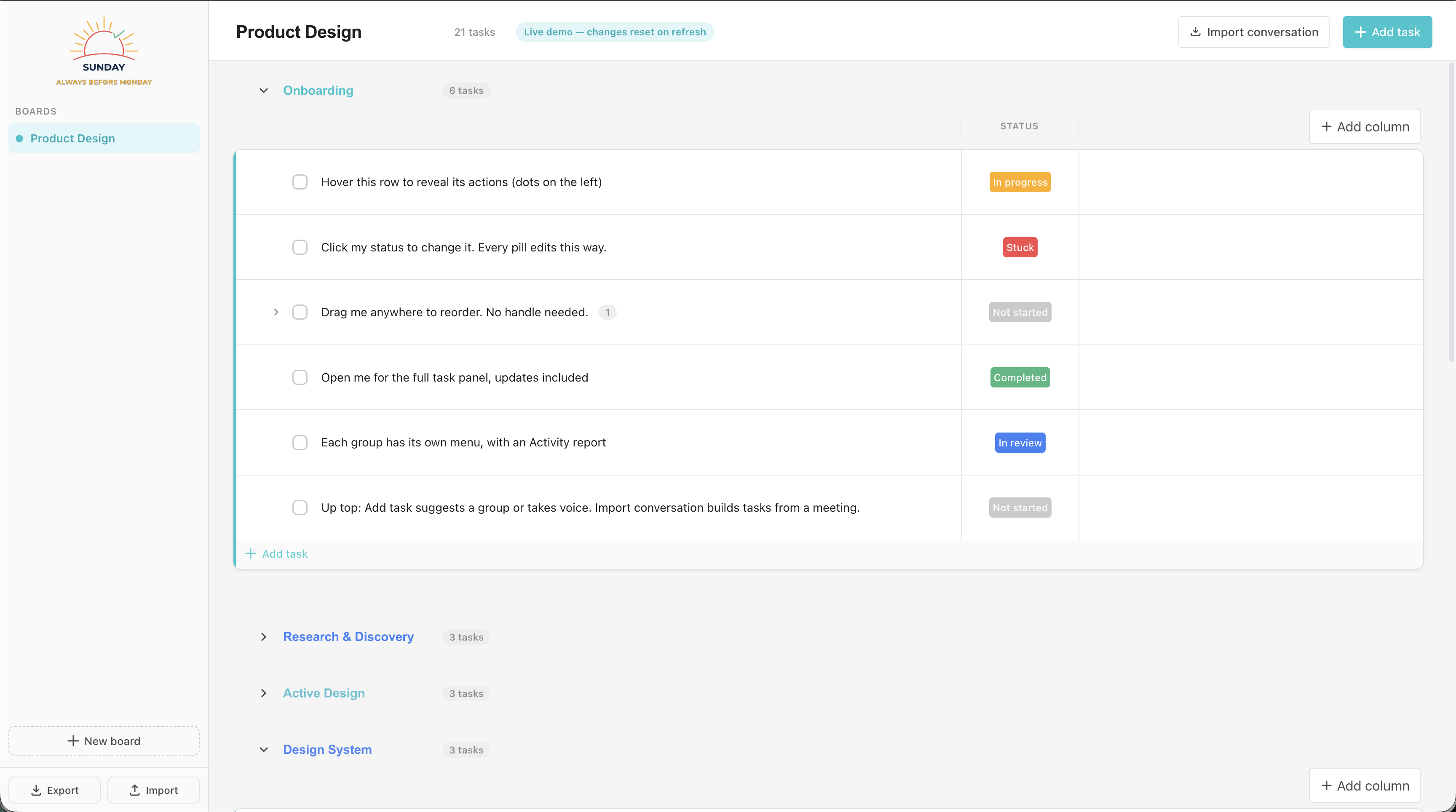
Monday was expensive for what I actually needed, and I couldn't find a tool that let me capture tasks anywhere, manage them simply, and sync them to my calendar. So I built one. It helped me stop holding tasks in my head, feel confident to let go, and switch off when the day ends.
Task board
Expense Tracker
I couldn't find an app that made saving exciting and actually changed behavior around money. So I built one. The savings and the calm come from the same place.
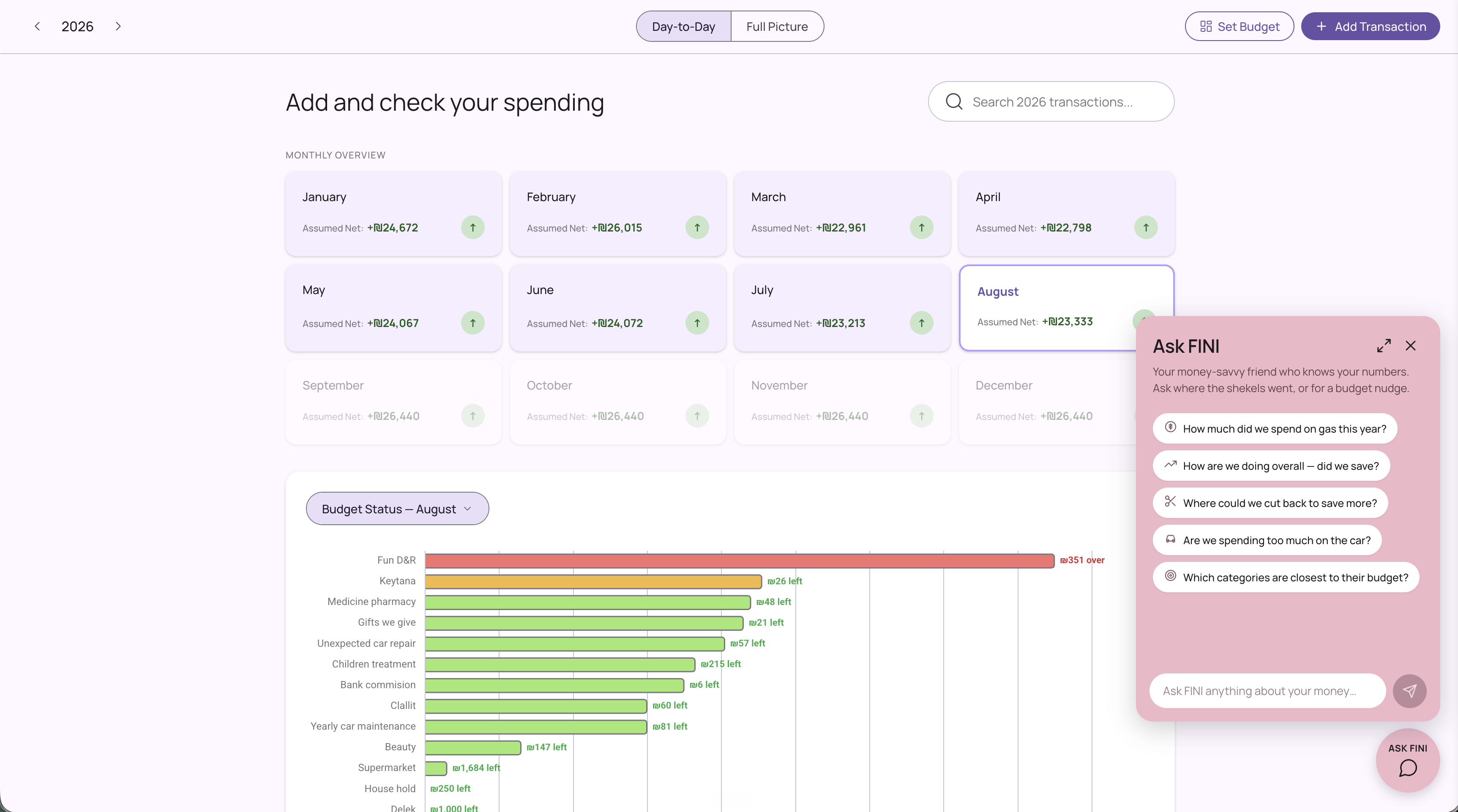
The Day-to-Day tab is where awareness lives: set your budget, log as you go, and get flagged the moment you’re about to overspend.
Internal motivation
The budget is an agreement, not just a number. When you and your partner decide together what to spend per category this month, that number carries a weight that a solo decision rarely does. The Day-to-Day view keeps that agreement visible at the start of every month, and notifications remind you of it along the way.
The underlying principle is Mental Accounting The human tendency to separate money into distinct mental categories rather than treating it as a single pool. .

01
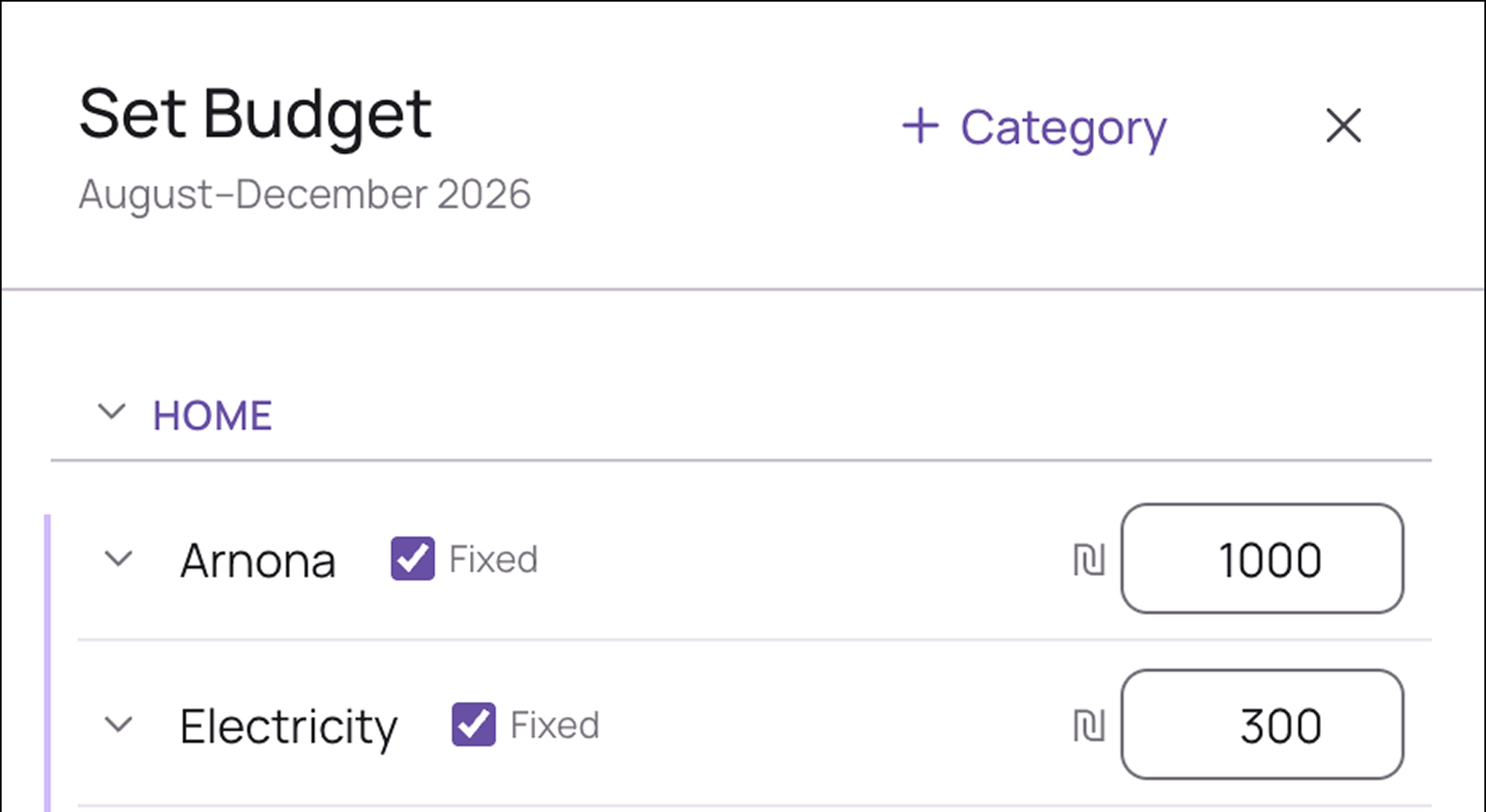
Set Budget turns your plan into a commitment and a forecast for the year ahead. Define your targets per category and the app does the math from there.

02
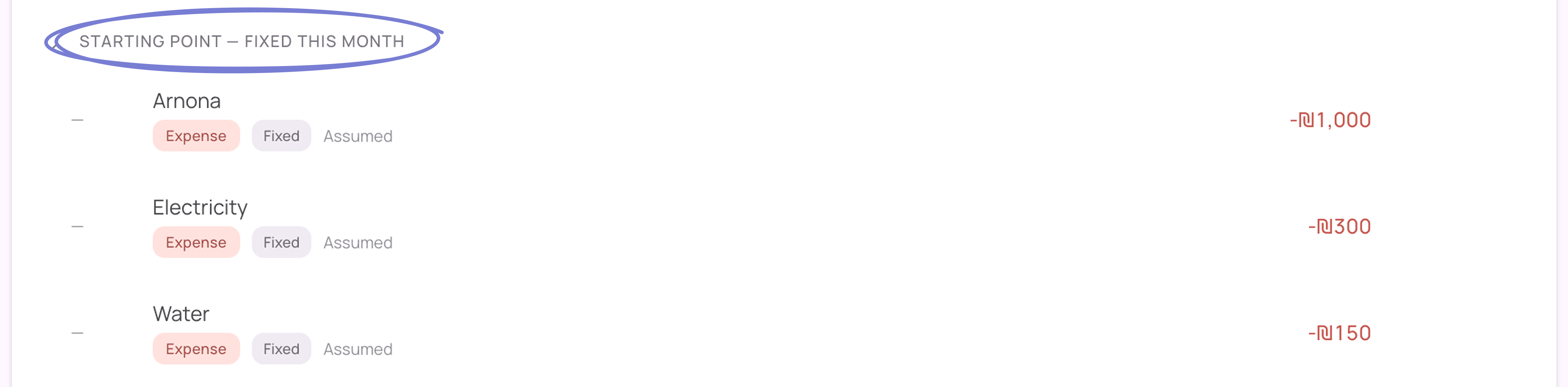
Every month card starts reduced by what is fixed: rent, electricity, municipal tax. What is left is what you can actually control.

03
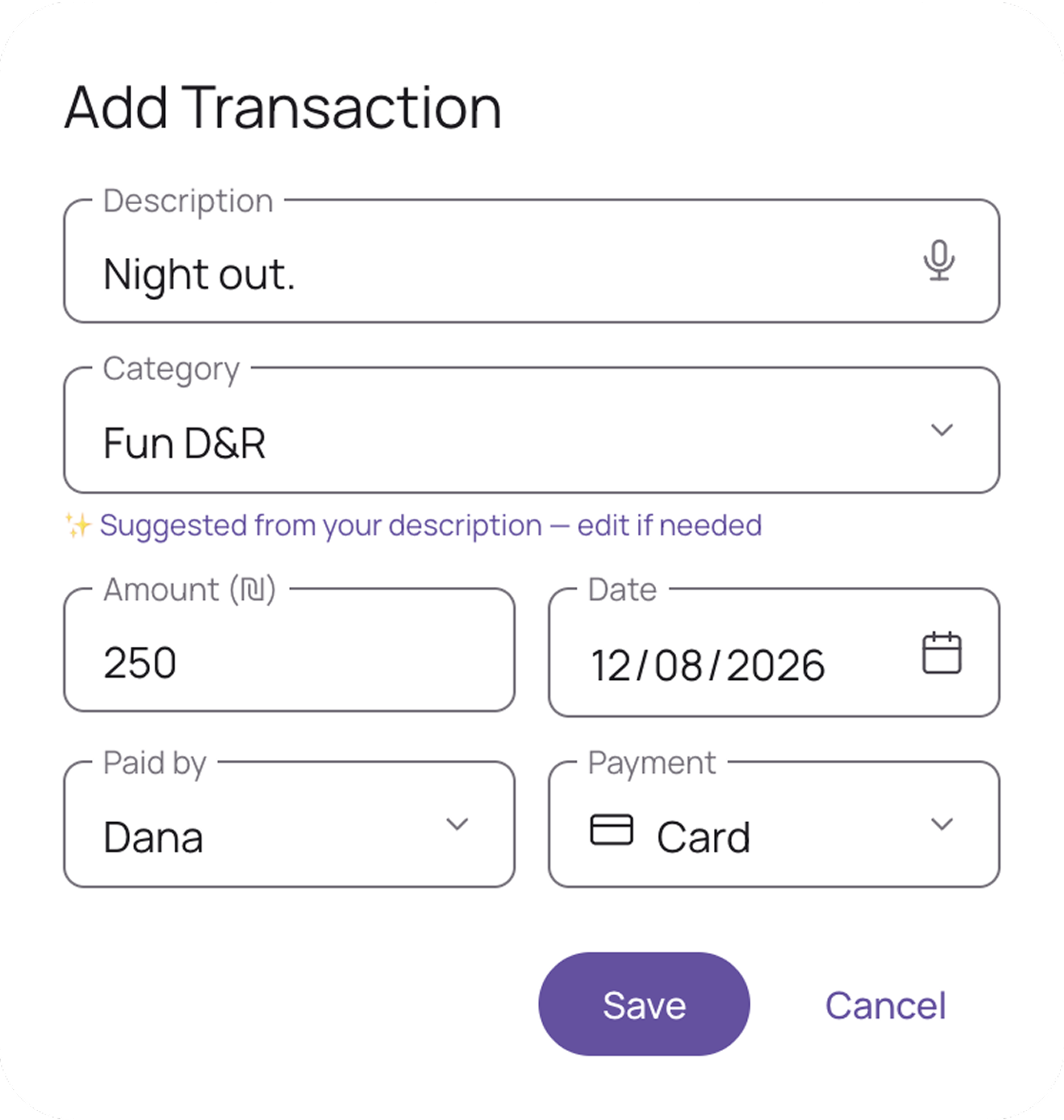
Log a spend anywhere, in seconds. Writing “coffee, 18” keeps spending top of mind in a way a bank statement never could. The AI suggests the category, and voice input means nothing gets missed.

04
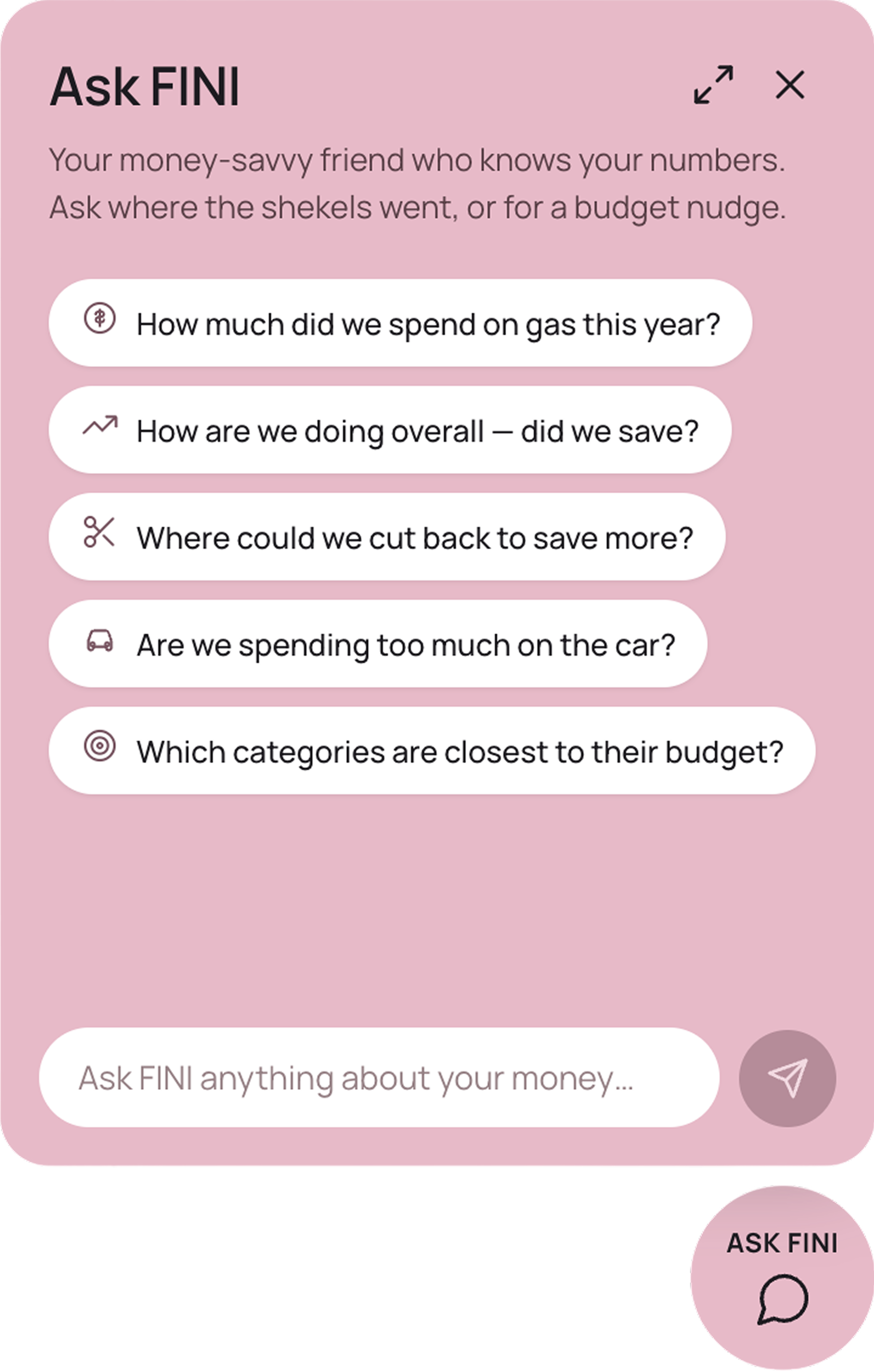
FINI reads your real numbers and answers the questions you’d normally have to dig for yourself. Ask “where could we cut back?” and get a straight answer. It gives you control without costing you time.

05
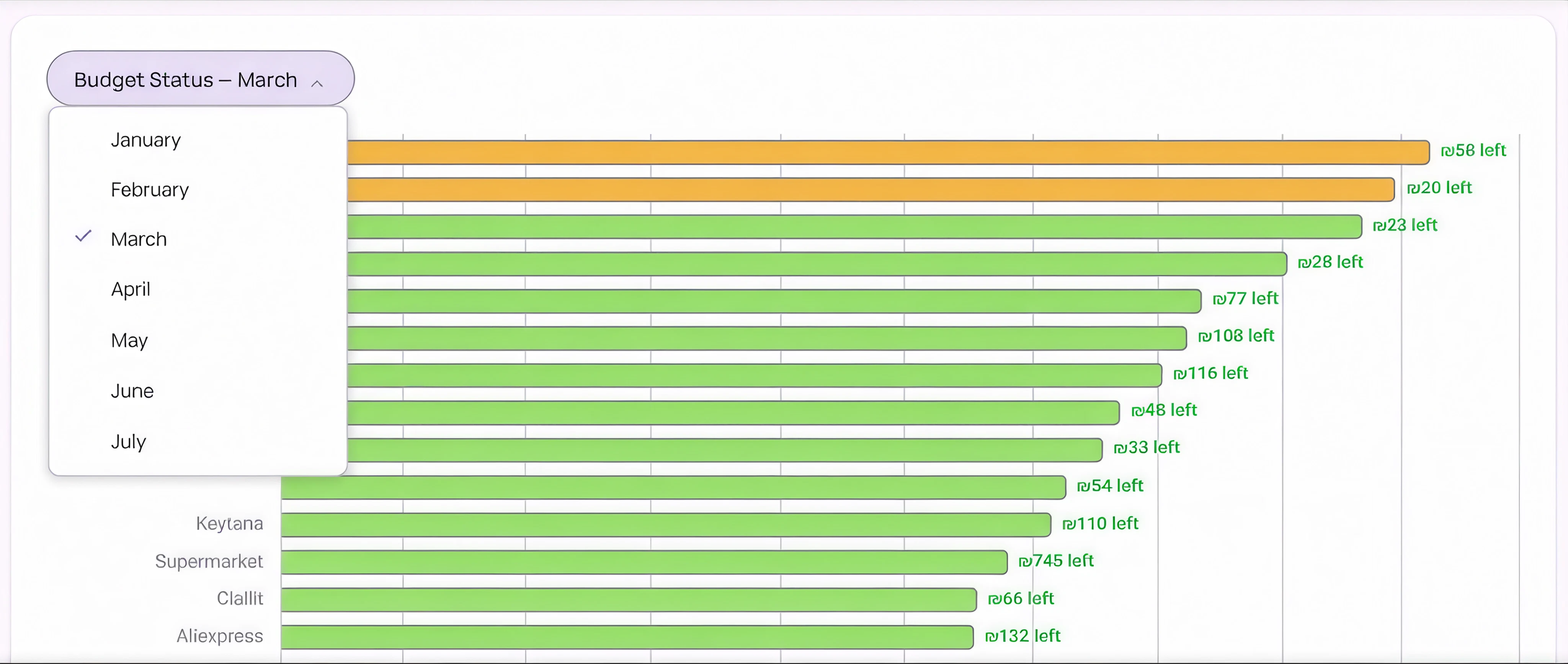
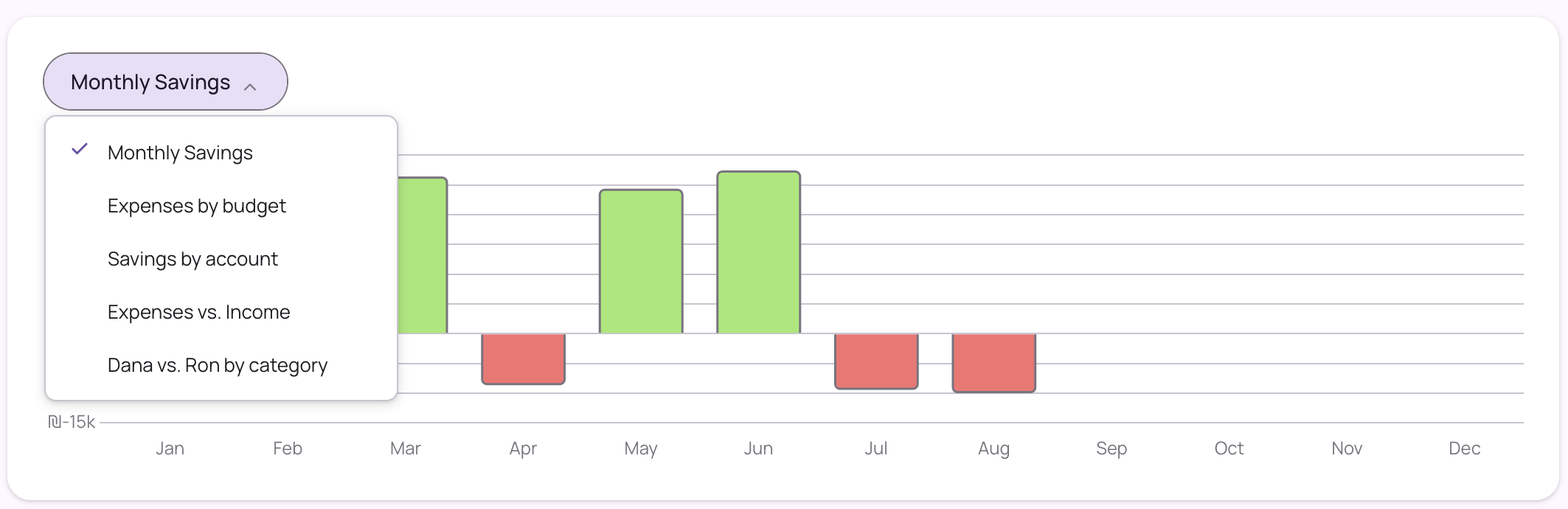
A live bar chart of every category: what’s healthy, what’s close, what’s over. You see the full picture at a glance, without doing any math.

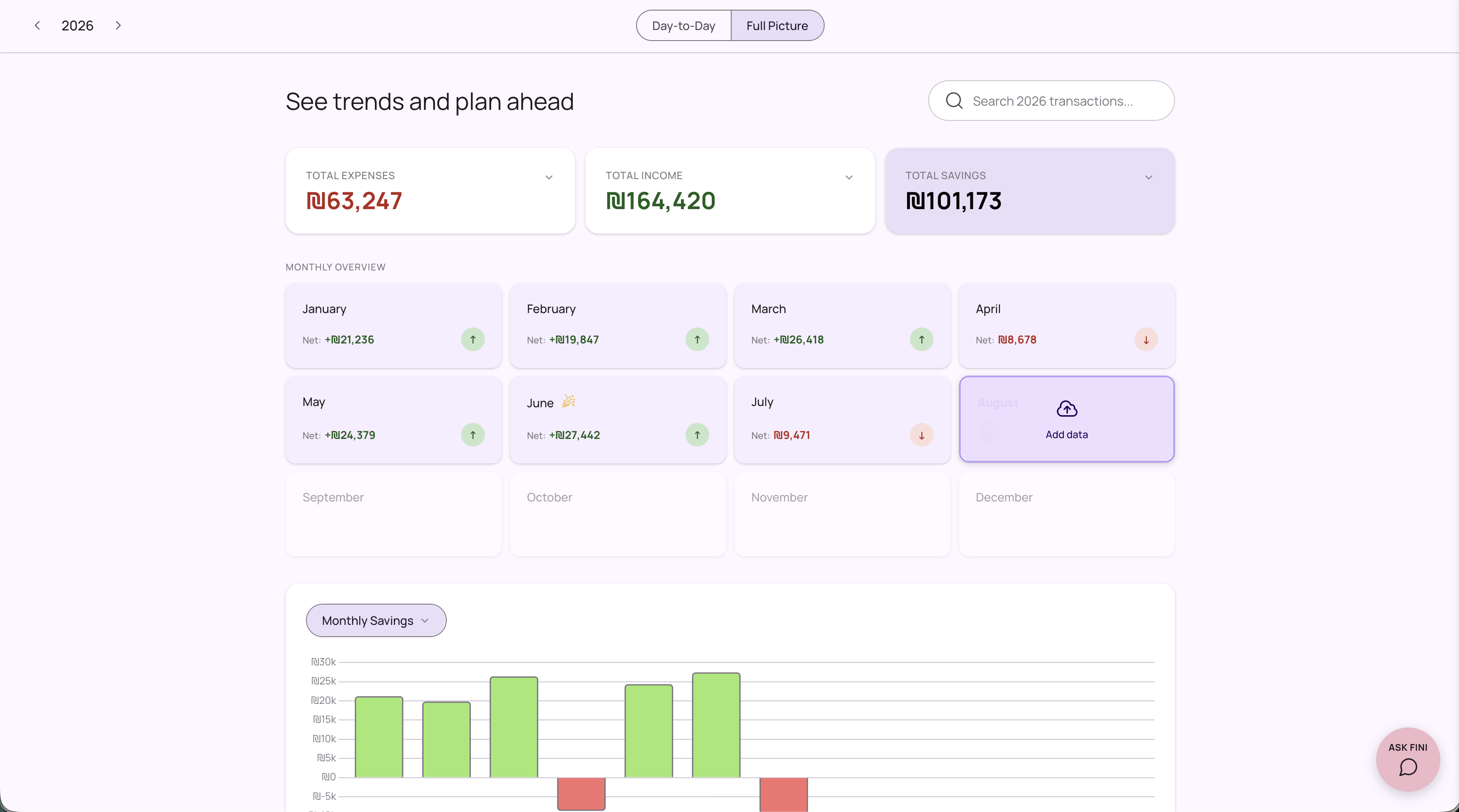
The Full Picture tab is where the real record meets real insight: import your bank statements and see not just what you spent, but what your habits look like over time.
External motivation
You can set a reward before the month begins: “If I save more than ₪25,000, I earn a vacation.” The prize is decided before the temptation arrives. External motivation, layered on top of the internal commitment from Feature A.
At month end, you upload your bank statement and face the honest version of the month. You never know exactly what you will find. Maybe the numbers match your day-to-day. Maybe you or your partner missed some expenses and there is a gap. That unpredictabilityVariable rewards are more compelling than fixed ones. Not knowing what you'll find each month is exactly what keeps you coming back. drives you to check.
01
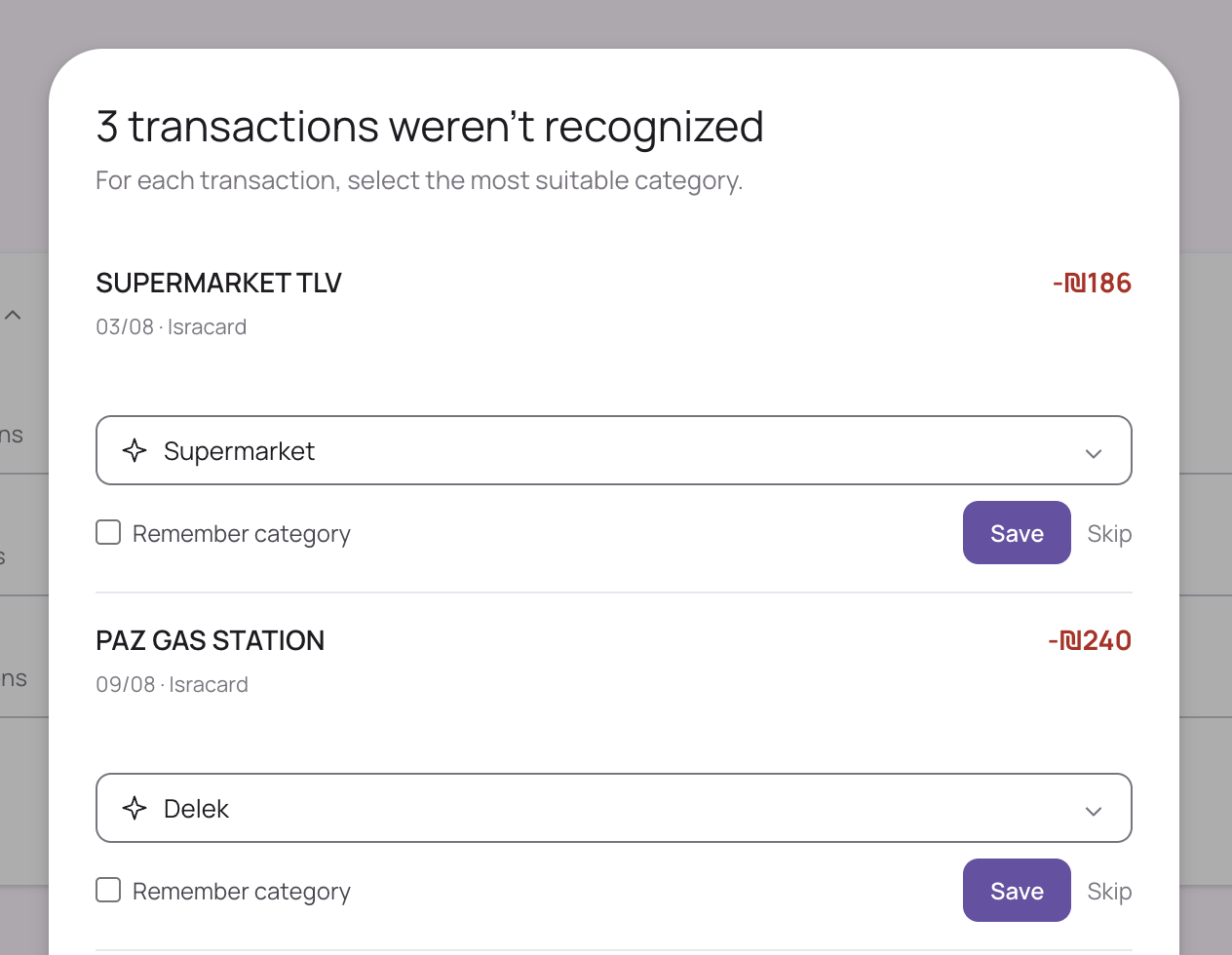
Open a month card to trigger the import. The app reads, parses, and categorizes every transaction automatically.

02
Each month view combines imported bank transactions with manually entered cash expenses. Bank statements only show what the bank saw. This shows everything.

03
The app asks for confirmation only on transactions it can’t place with confidence. Everything else is already filed.

04
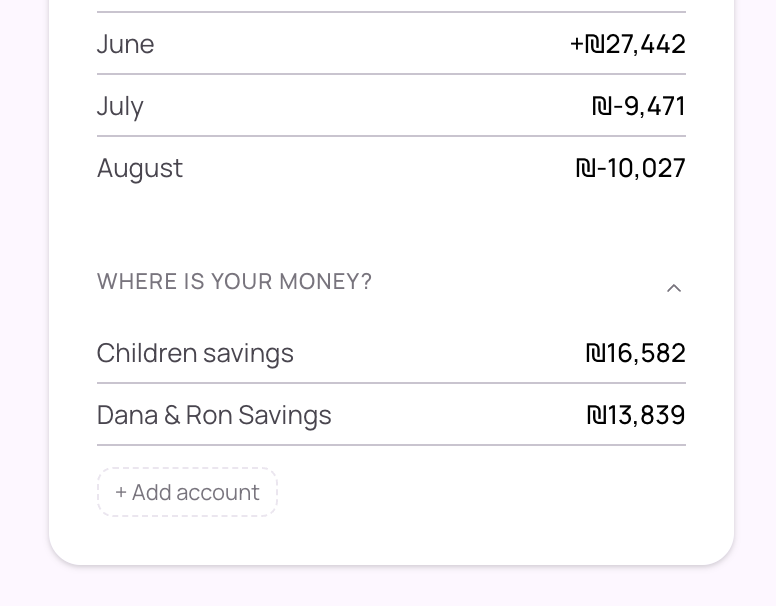
One tap breaks down every savings and investment account. Seeing where it lives turns a number into real control.

05
Pick the one that answers the question you actually have.

Sunday
Monday was expensive for what I actually needed, and I couldn't find a tool that let me capture tasks anywhere, manage them simply, and sync them to my calendar. So I built one. It helped me stop holding tasks in my head, feel confident to let go, and switch off when the day ends.
One board that captures tasks from everywhere and syncs them to your calendar.

01
Sunday turns every action item in your Fathom meetings into a task. A full meeting becomes a board, with no note-taking.

02
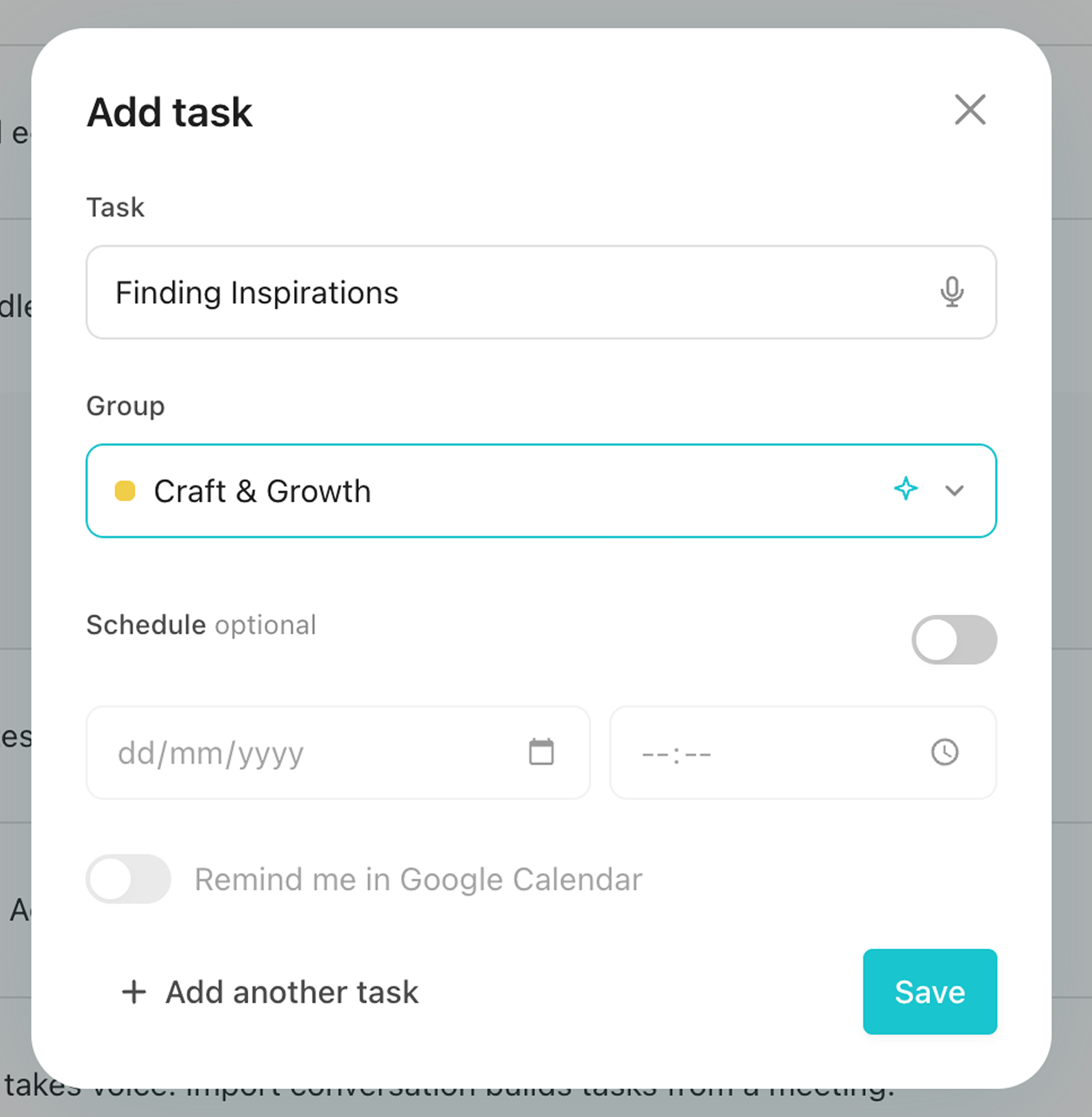
Add a task in a couple of taps, or record it on mobile when your hands are full. The AI assigns it to the right group automatically.

03
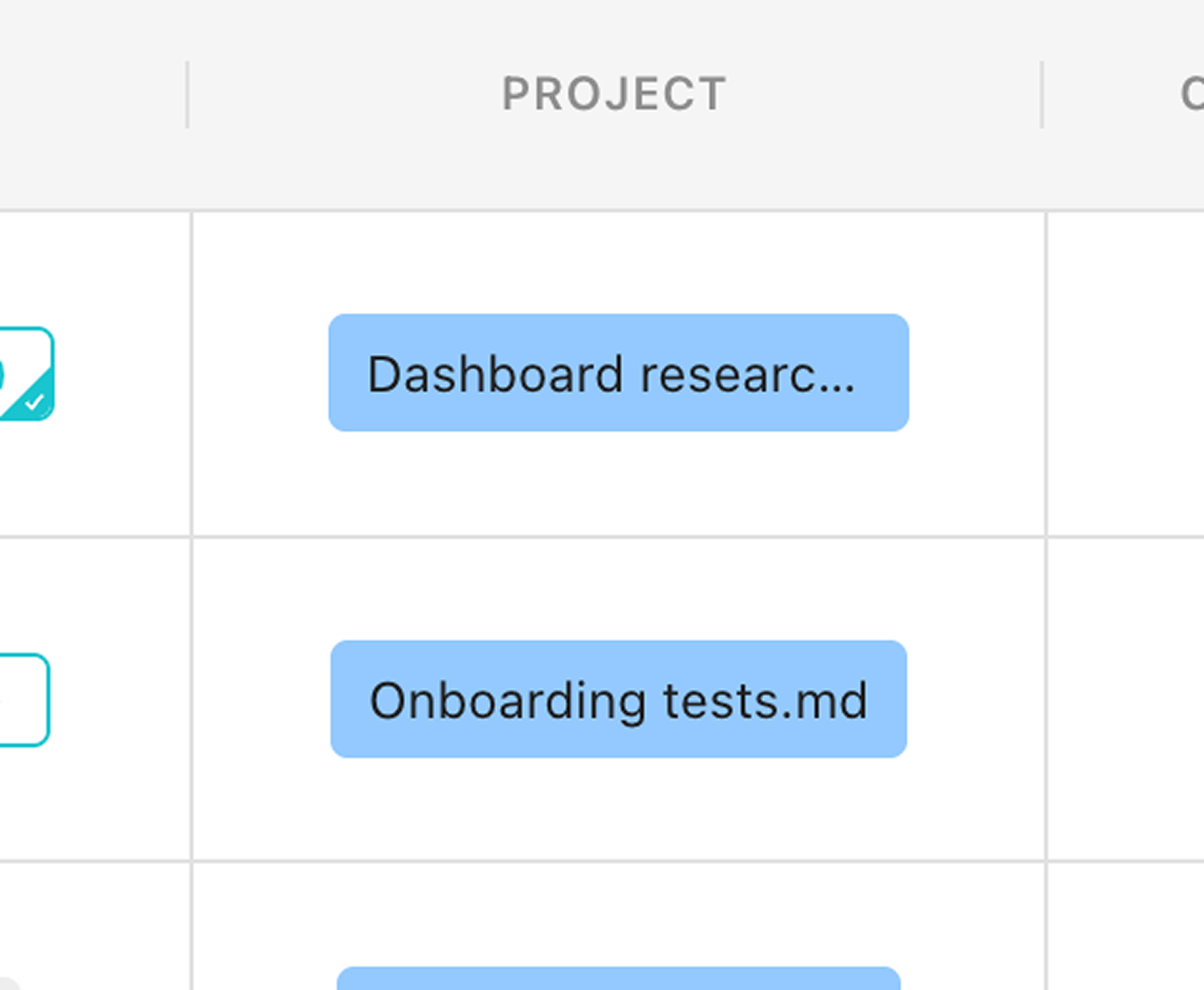
Tasks linked to a project file remember what happened inside it. That connection bridges the task board and the real project.

04
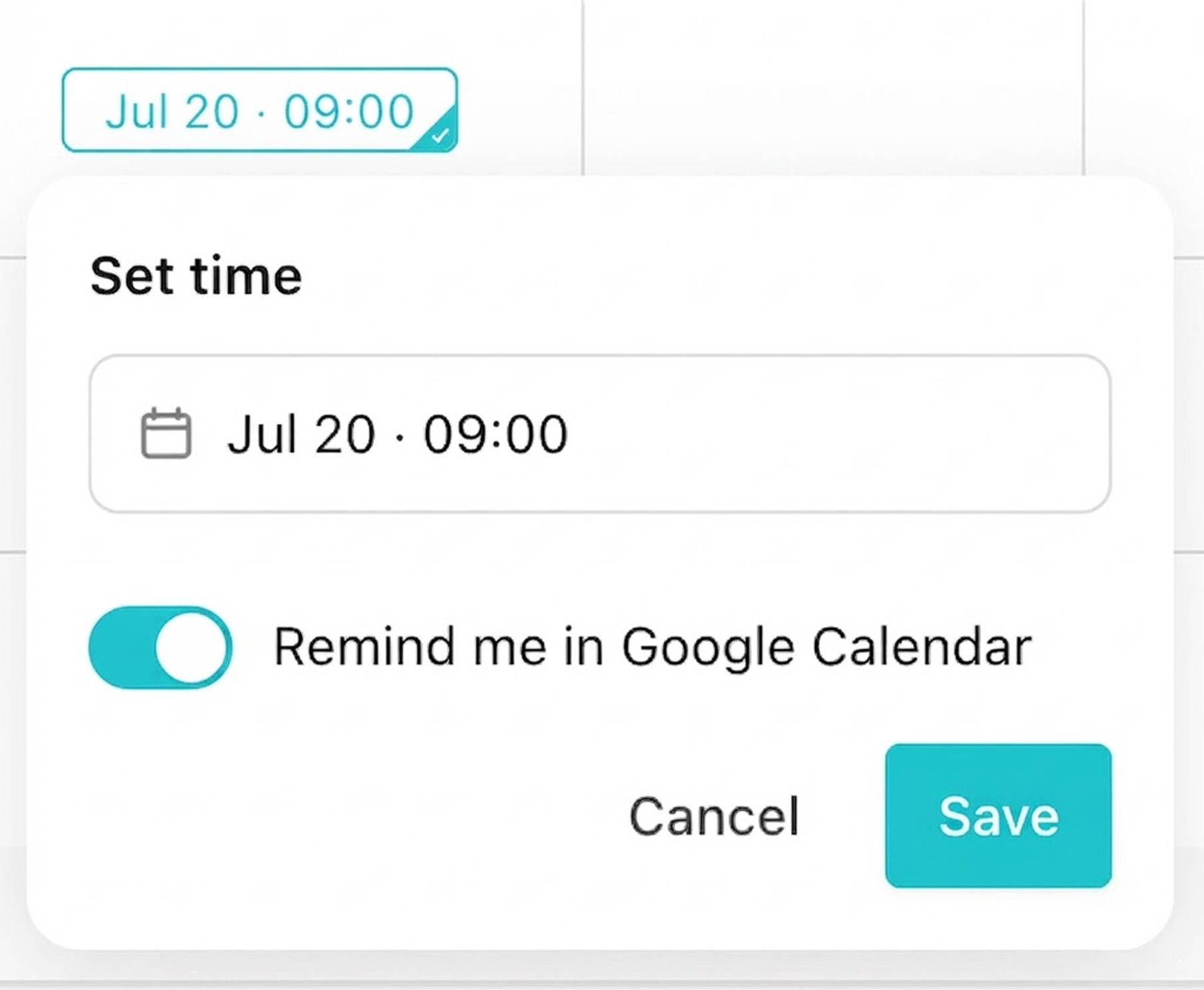
Toggle “Remind me in Google Calendar” and your calendar stays in sync with Sunday. Nothing slips, even when you’re not looking at the board.

05
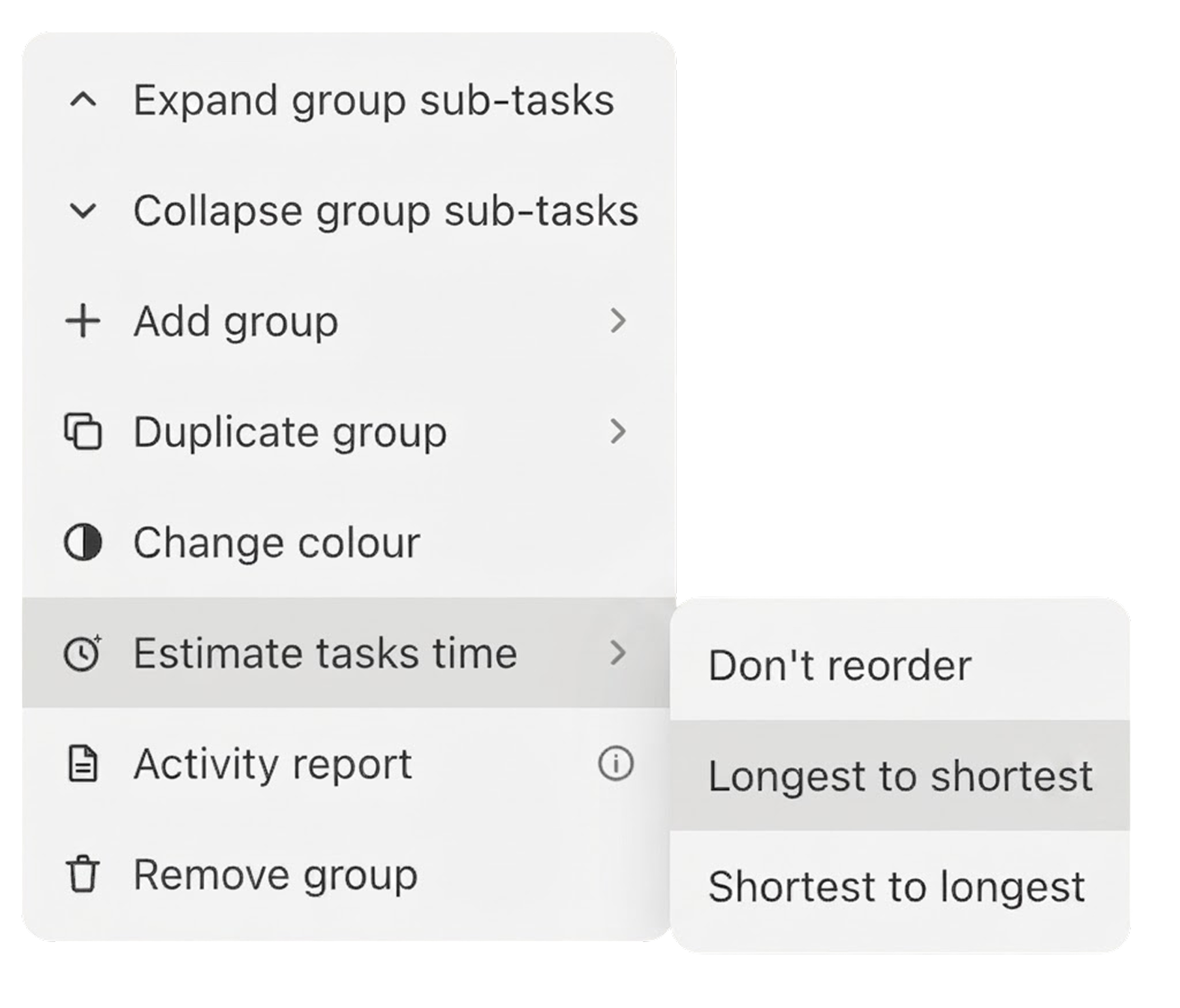
Time estimates are built from how long things actually took you. A starting point, not a promise: edit any cell to adjust.

06
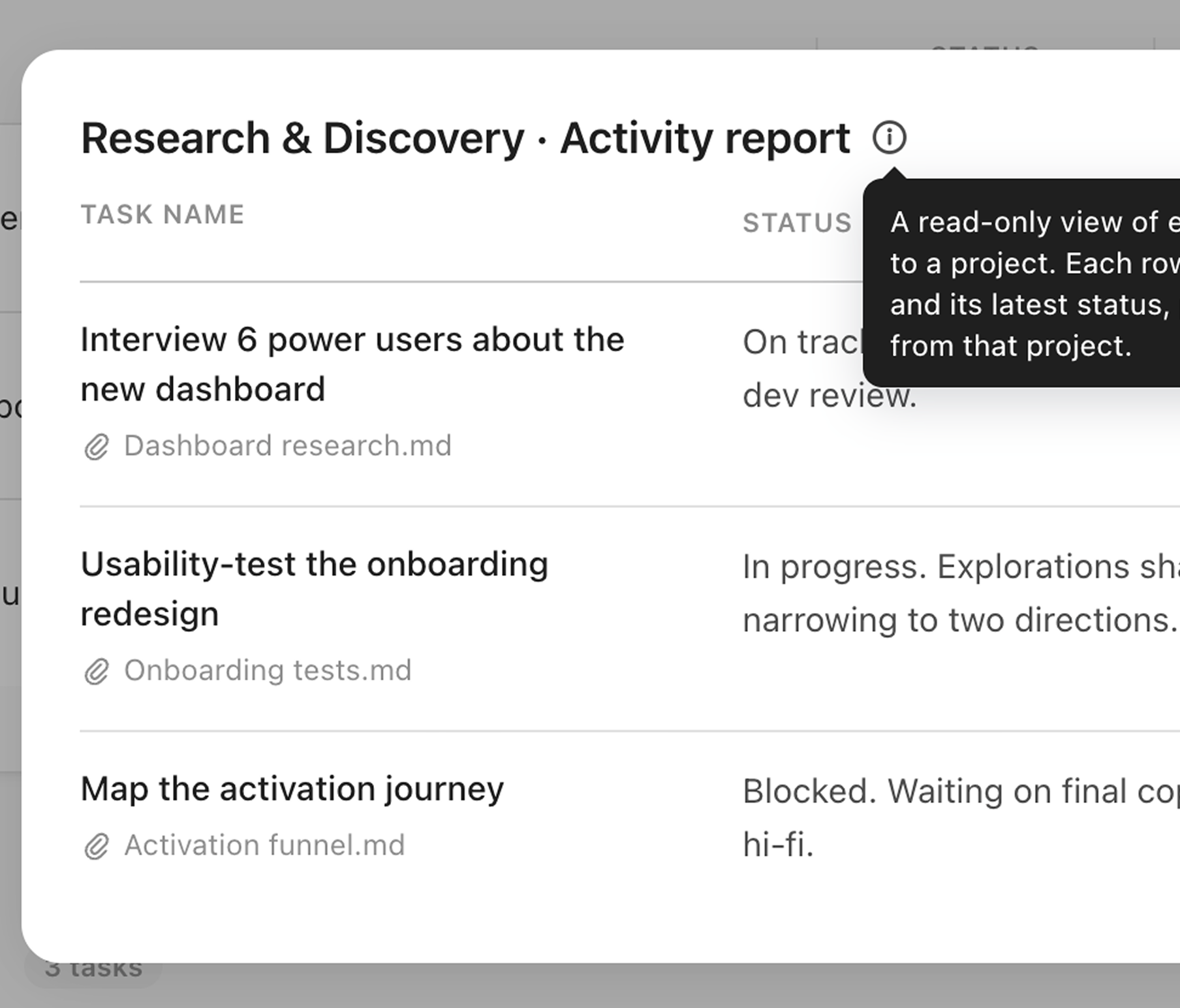
The activity report reads from the connected project files and tells you the real status of your tasks, not just whether they were checked off.

"Expense Tracker" impact
Addition to family
monthly savings
1000₪
"Sunday" impact
Efficiency
Multiplier
3X