Feature ideation

How I helped entrepreneurs ideate features

6 Min read
Research Design Task completion 12%

Company

ThinkUpThinkUp is an all-in-one AI platform that takes entrepreneurs from idea validation all the way to investor-ready.

Year

2024

Team

1 PM1 Dev1 PD

Role

Research & Design

The way from frustration to focus

We got it wrong. So did they. Then we got it right.

1

The challenge: help founders select their main user needs and the features that answer them.

2

The catch: Our first version followed best practice. But users were dropping off.

3

What we did: Found the root cause, flipped the flow, and fixed it.

4

The result: Task completion went up by 12%.

How we turned that failure around

Watch the full story below or listen to the audio summary

Case study slideshow — tap to expand
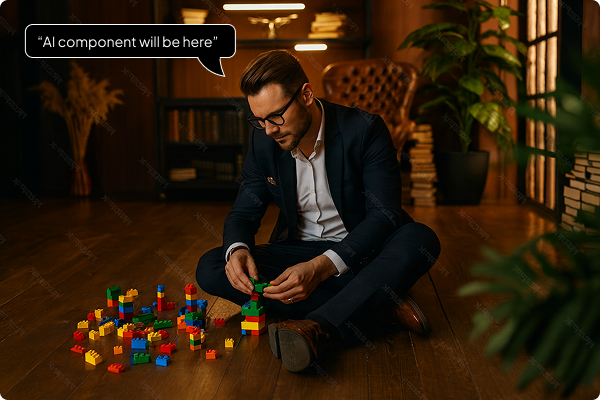
A founder building with toy blocks on the floor

My task was to design a flow that helps entrepreneurs go from a rough idea to a concrete product concept.

"AI component will be here"

My task was to design a flow that helps entrepreneurs go from a rough idea to a concrete product concept.

A founder building with toy blocks on the floor
"AI component will be here"

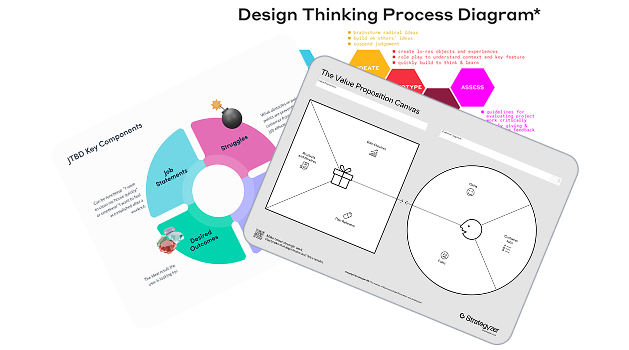
We started with best practice and built a two-task flow. Simple enough. Or so we thought.

Design Thinking, Value Proposition Canvas and JTBD framework references

We started with best practice and built a two-task flow. Simple enough. Or so we thought.

Design Thinking, Value Proposition Canvas and JTBD framework references
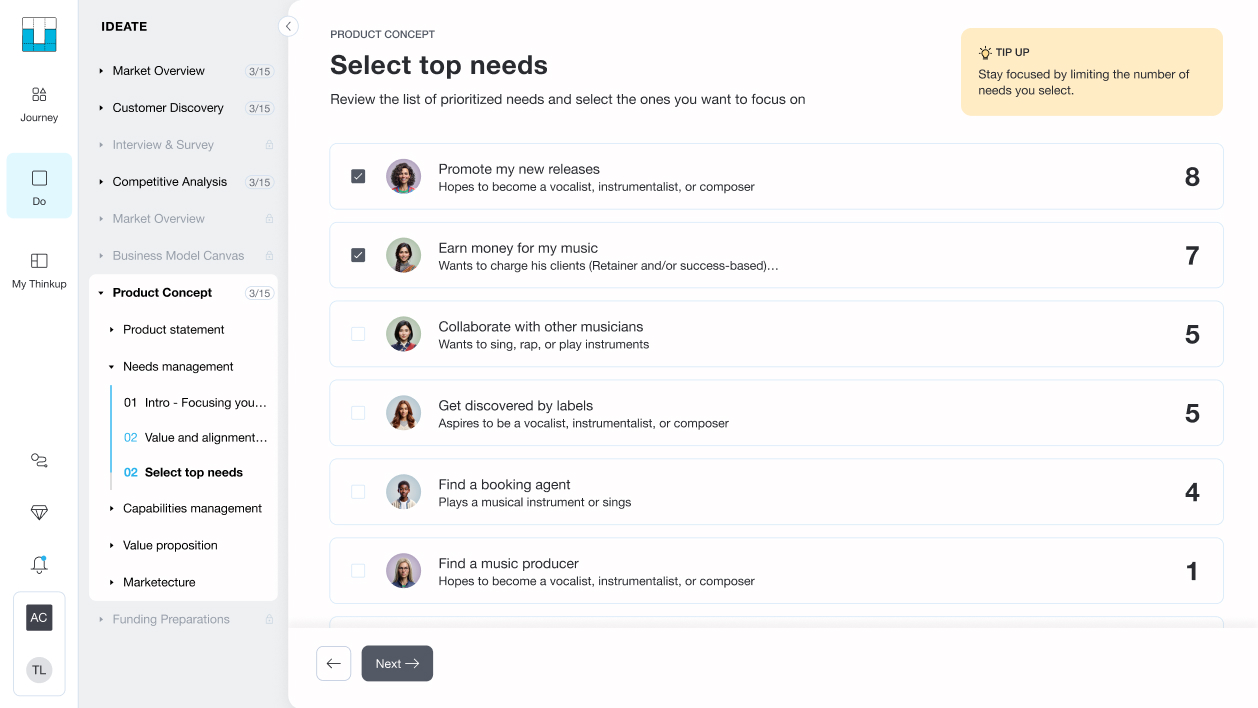
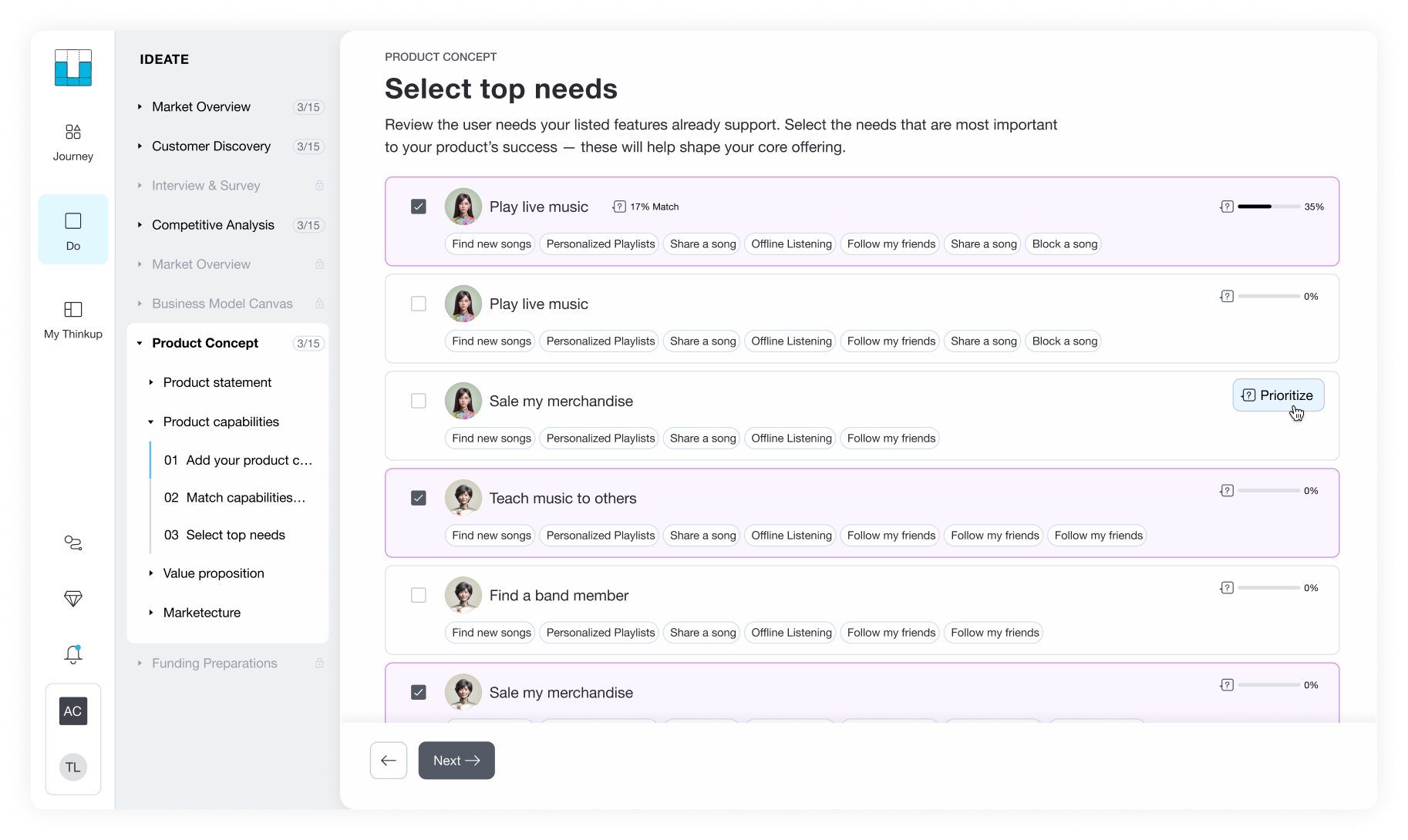
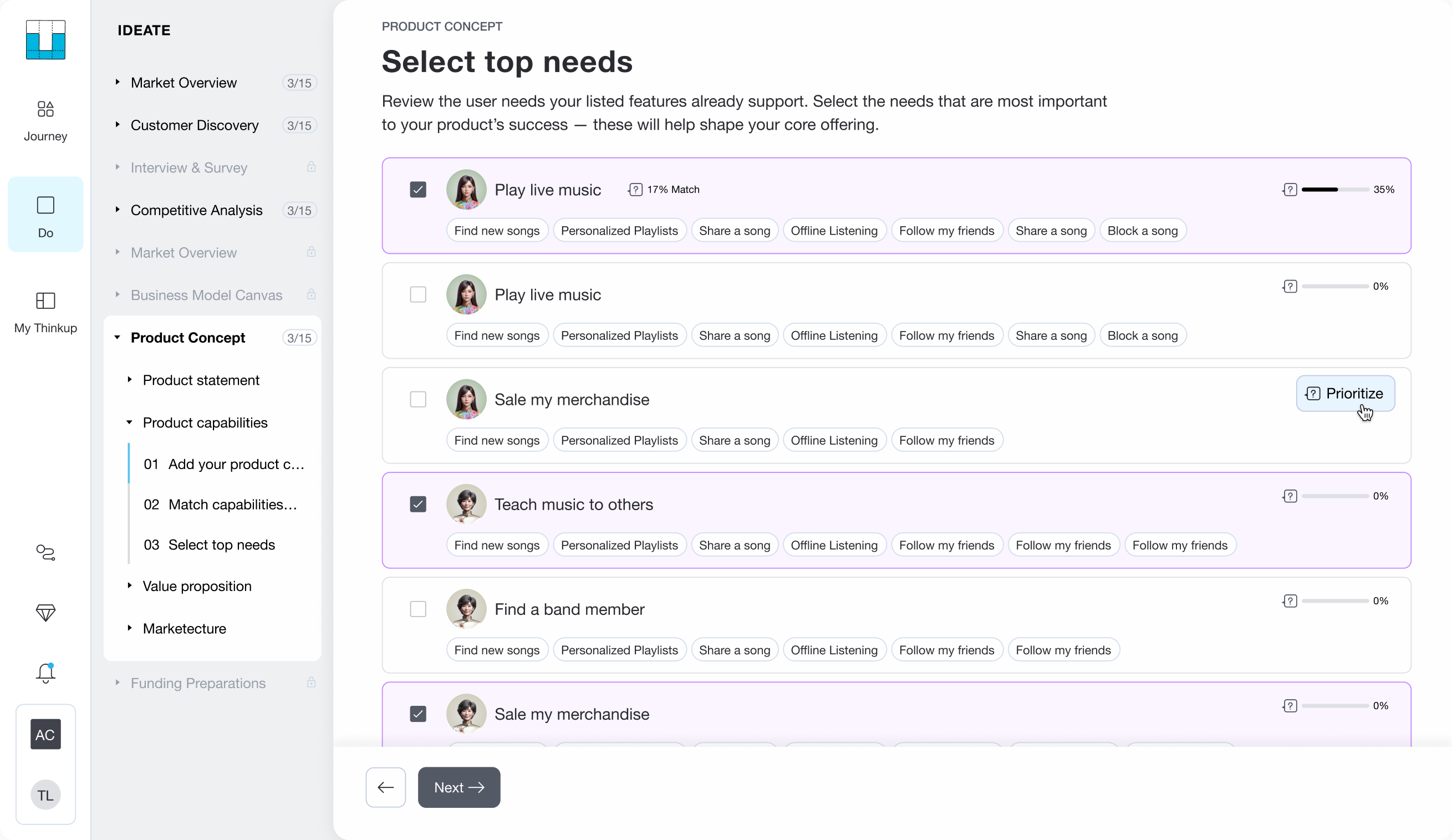
The Select top needs screen with two needs checked

Task 1:

Select most relevant needs from those they'd already defined earlier in the system.

Task 1:

Select most relevant needs from those they'd already defined earlier in the system.

The Select top needs screen with two needs checked
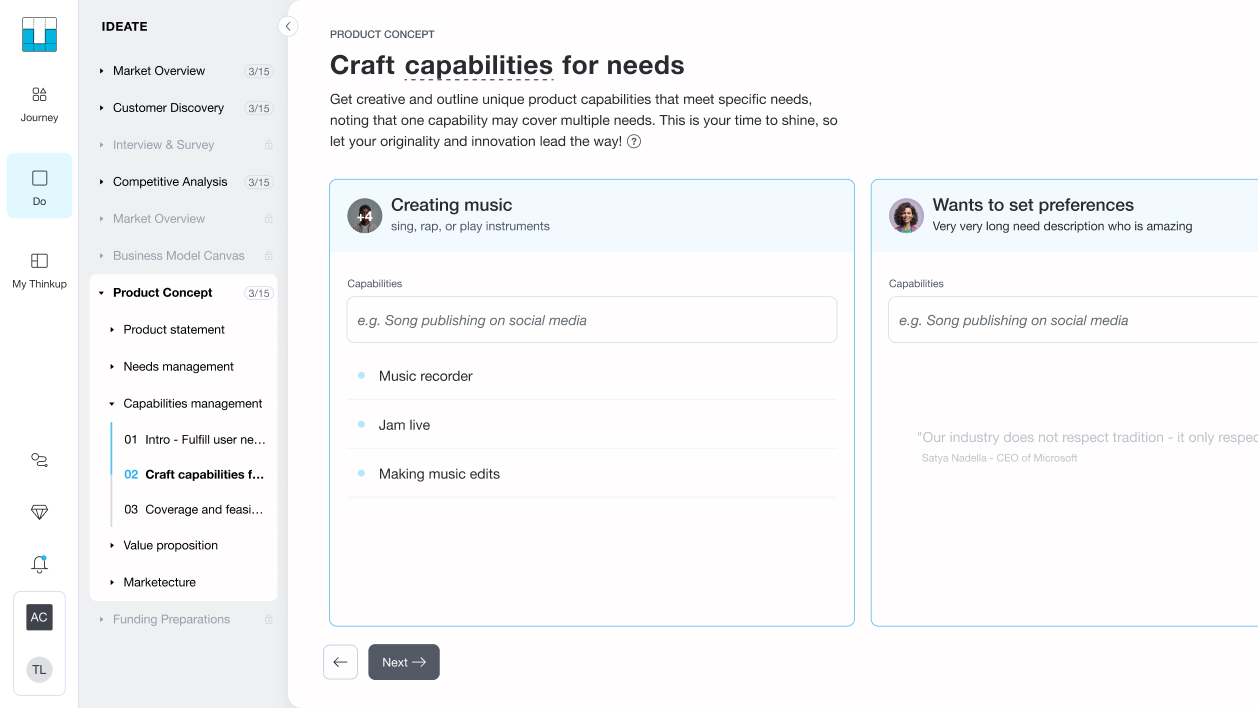
The Craft capabilities for needs screen

Task 2:

Add to each need the capabilities that would answer it.

Task 2:

Add to each need the capabilities that would answer it.

The Craft capabilities for needs screen
Frustrated man surrounded by lego blocks

However...
things didn't

go the way

we planned.

However...
things didn't

go the way

we planned.

Frustrated man surrounded by lego blocks
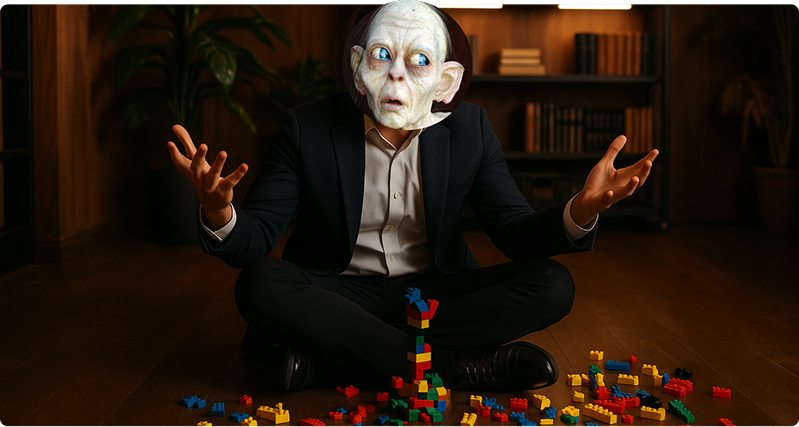
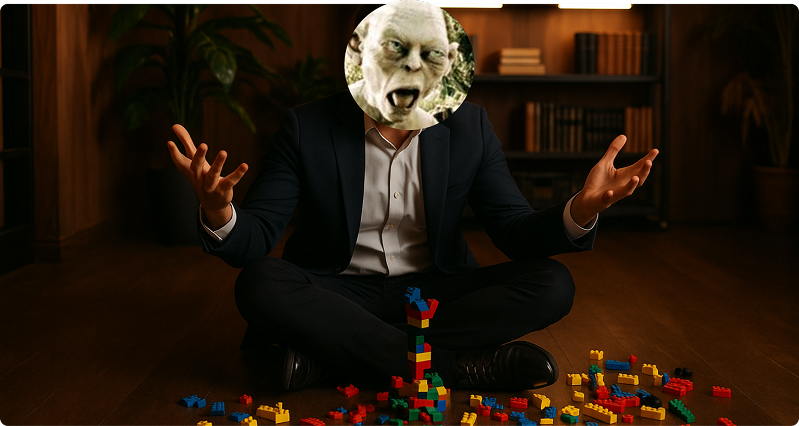
A founder with Gollum face surrounded by toy blocks

Insight 1:

Asking the entrepreneurs to focus only on some needs felt like taking
their precious 

needs away.

"But all the needs I've added are main needs" -ThinkUp user

Insight 1:

Asking the entrepreneurs to focus only on some needs felt like taking their precious 

needs away.

A founder with Gollum face surrounded by toy blocks

"But all the needs I've added are main needs" -ThinkUp user

A founder with Gollum face surrounded by toy blocks

Insight 2:

Picking needs first forced important capabilities to either disappear or land on the wrong need.

"This need seemed like the best reasonable fit" -ThinkUp user

Insight 2:

Picking needs first forced important capabilities to either disappear or land on the wrong need.

A founder with Gollum face surrounded by toy blocks

"This need seemed like the best reasonable fit" -ThinkUp user

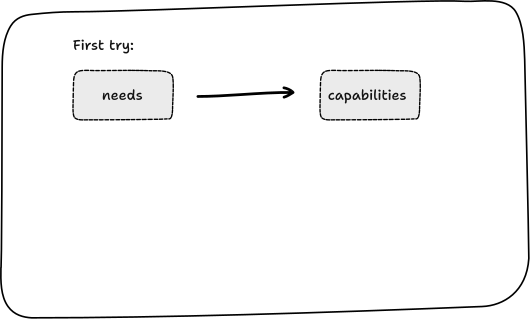
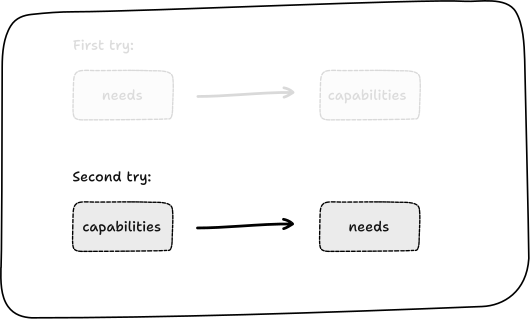
So basing our approach on best practice and starting from needs first...

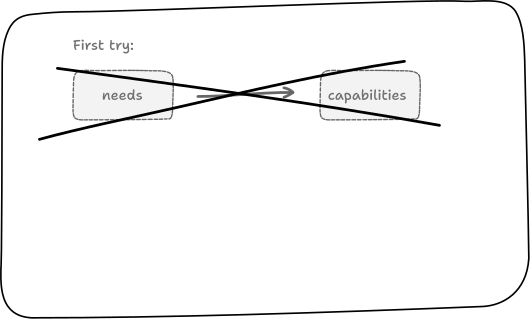
First try diagram: needs leading to capabilities

So basing our approach on best practice and starting from needs first...

First try diagram: needs leading to capabilities

didn't work

Users knew exactly what to do. The problem was how it felt. Being asked to let go of work they'd already invested in, without knowing if it was less relevant, felt like a loss they just couldn't justify.

First try diagram crossed out: needs to capabilities failed

didn't work

Users knew exactly what to do. The problem was how it felt. Being asked to let go of work they'd already invested in, without knowing if it was less relevant, felt like a loss they just couldn't justify.

First try diagram crossed out: needs to capabilities failed

Every dead end teaches you something. So we flipped the flow and tried it again.

Second try diagram: capabilities leading to needs

Every dead end teaches you something. So we flipped the flow and tried it again.

Second try diagram: capabilities leading to needs

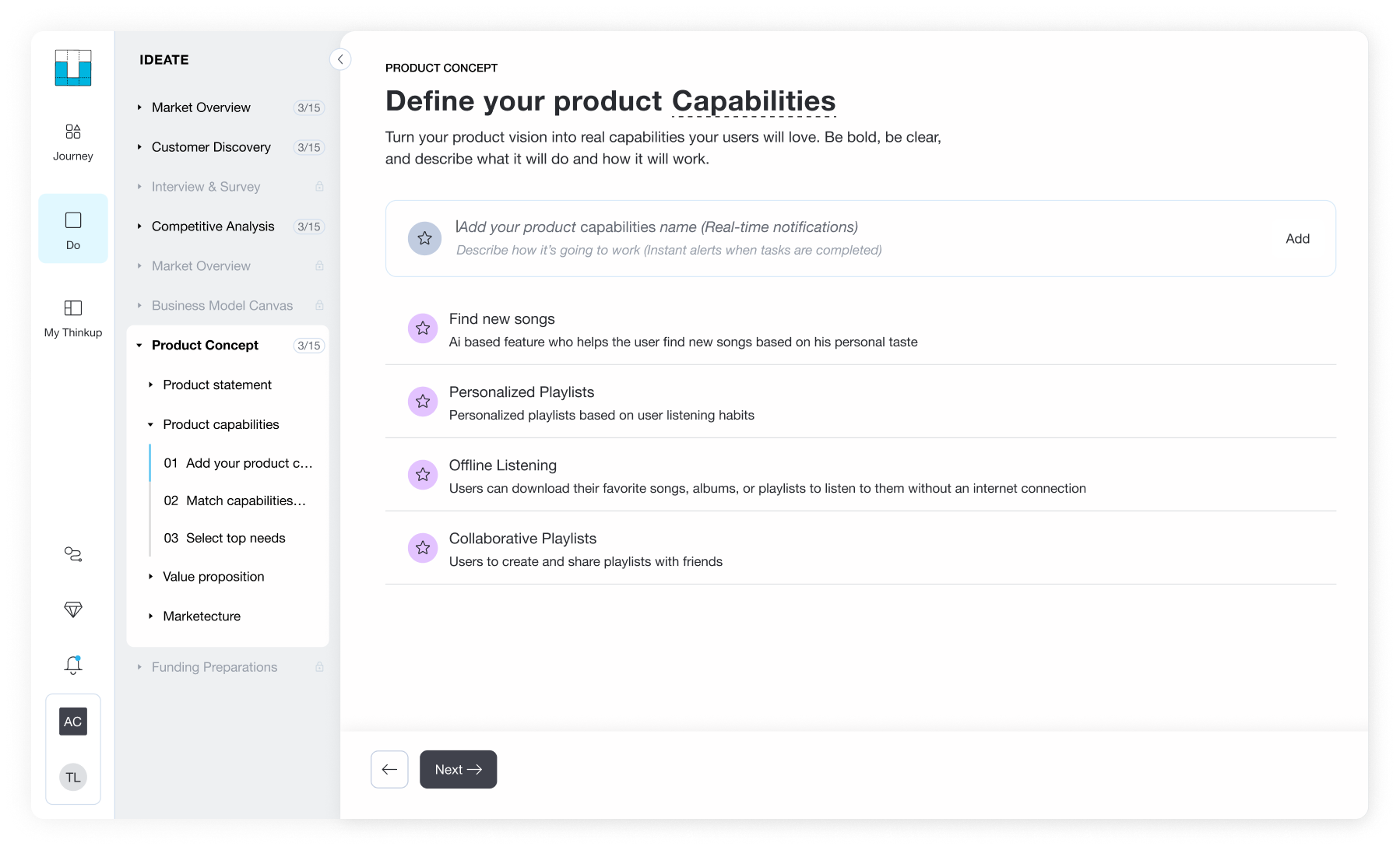
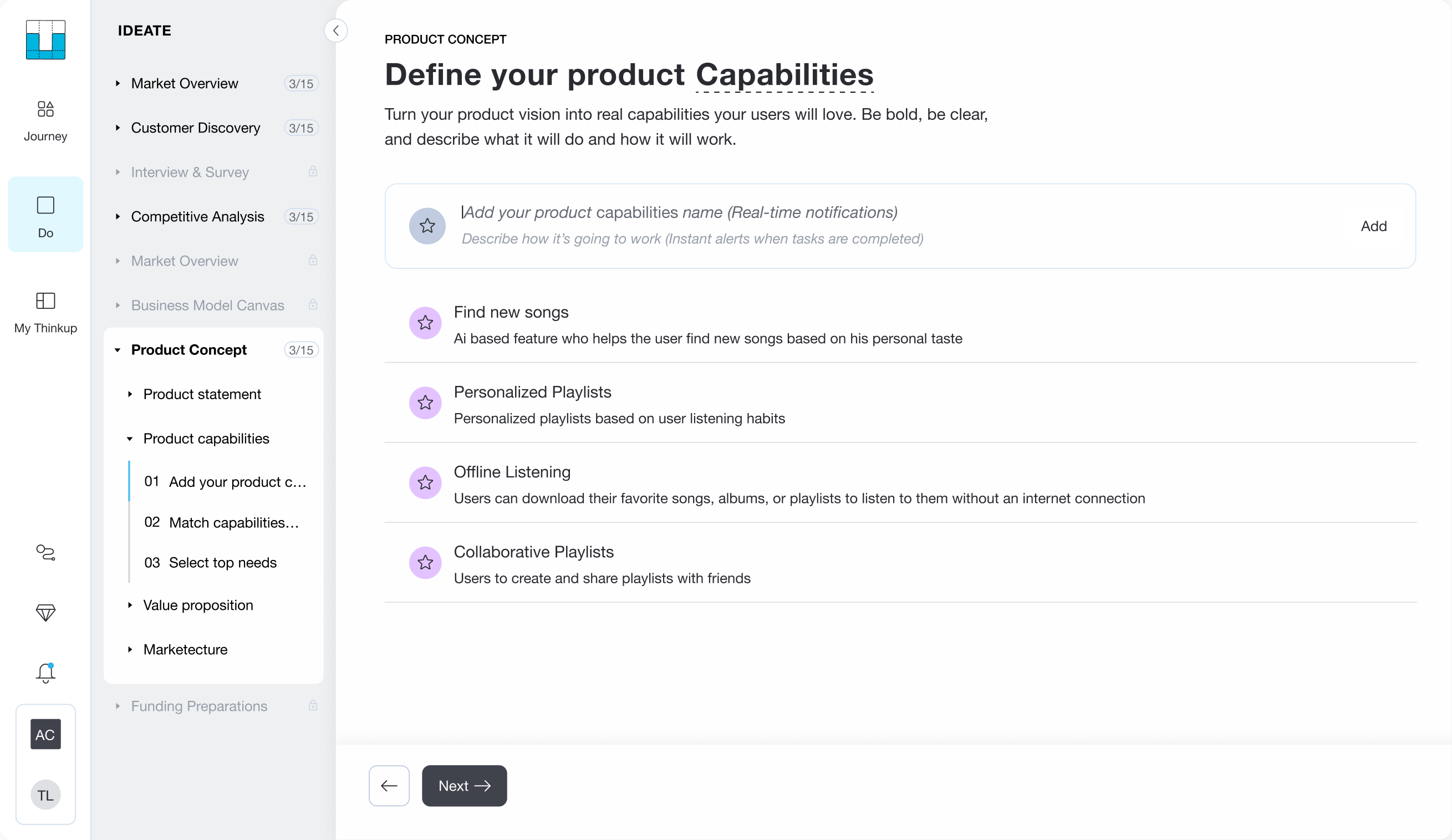
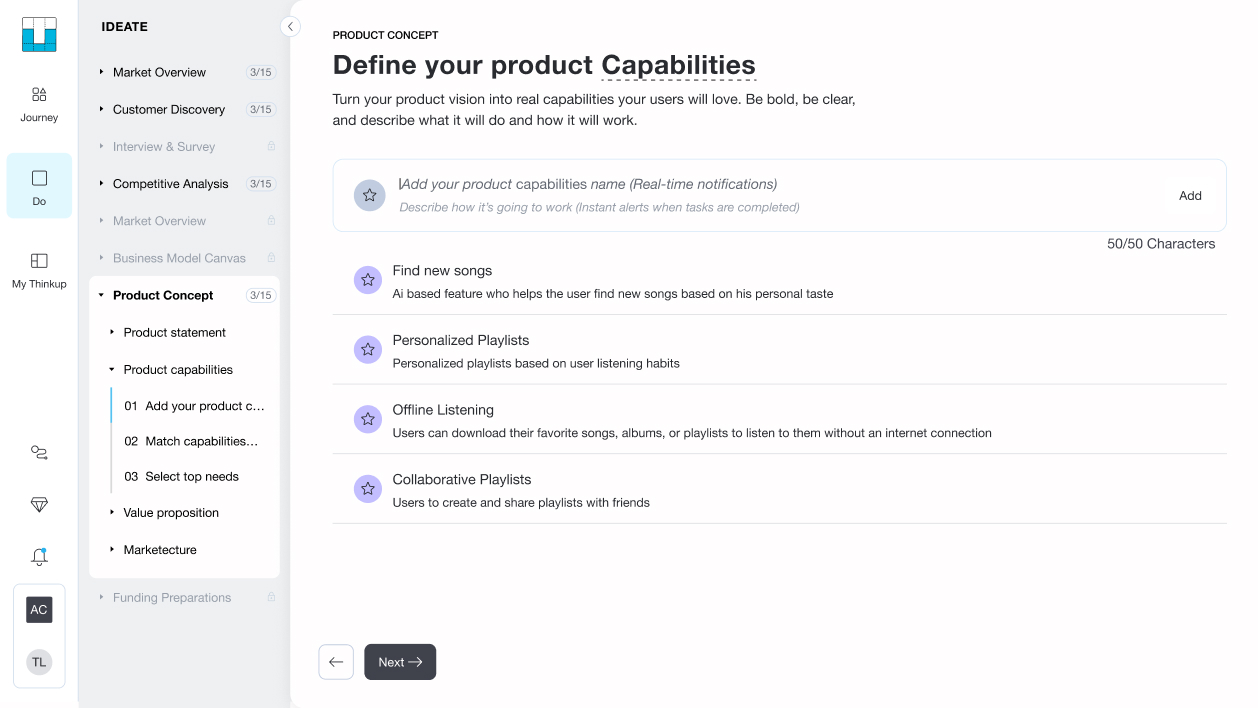
First, we let users list every capability on their mind, with no need attached yet.

Define your product Capabilities screen

First, we let users list every capability on their mind, with no need attached yet.

Define your product Capabilities screen

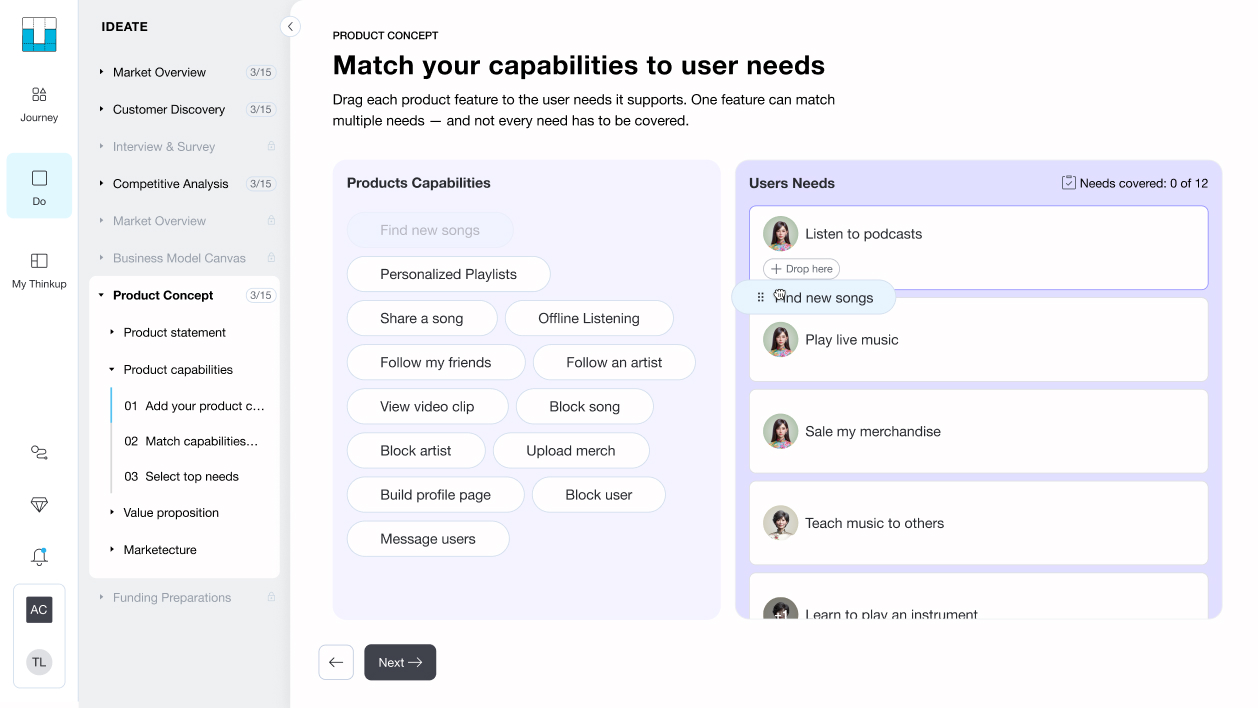
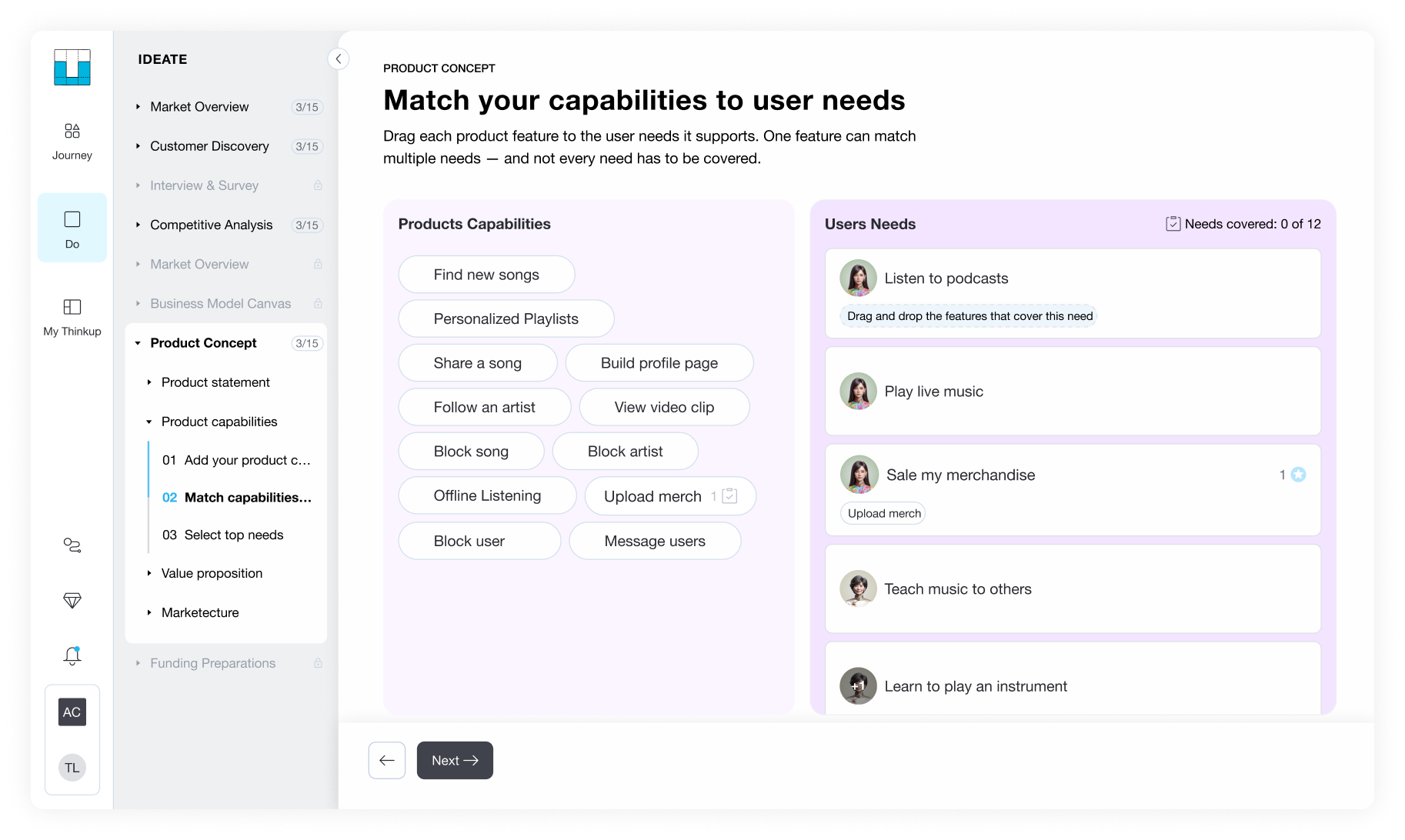
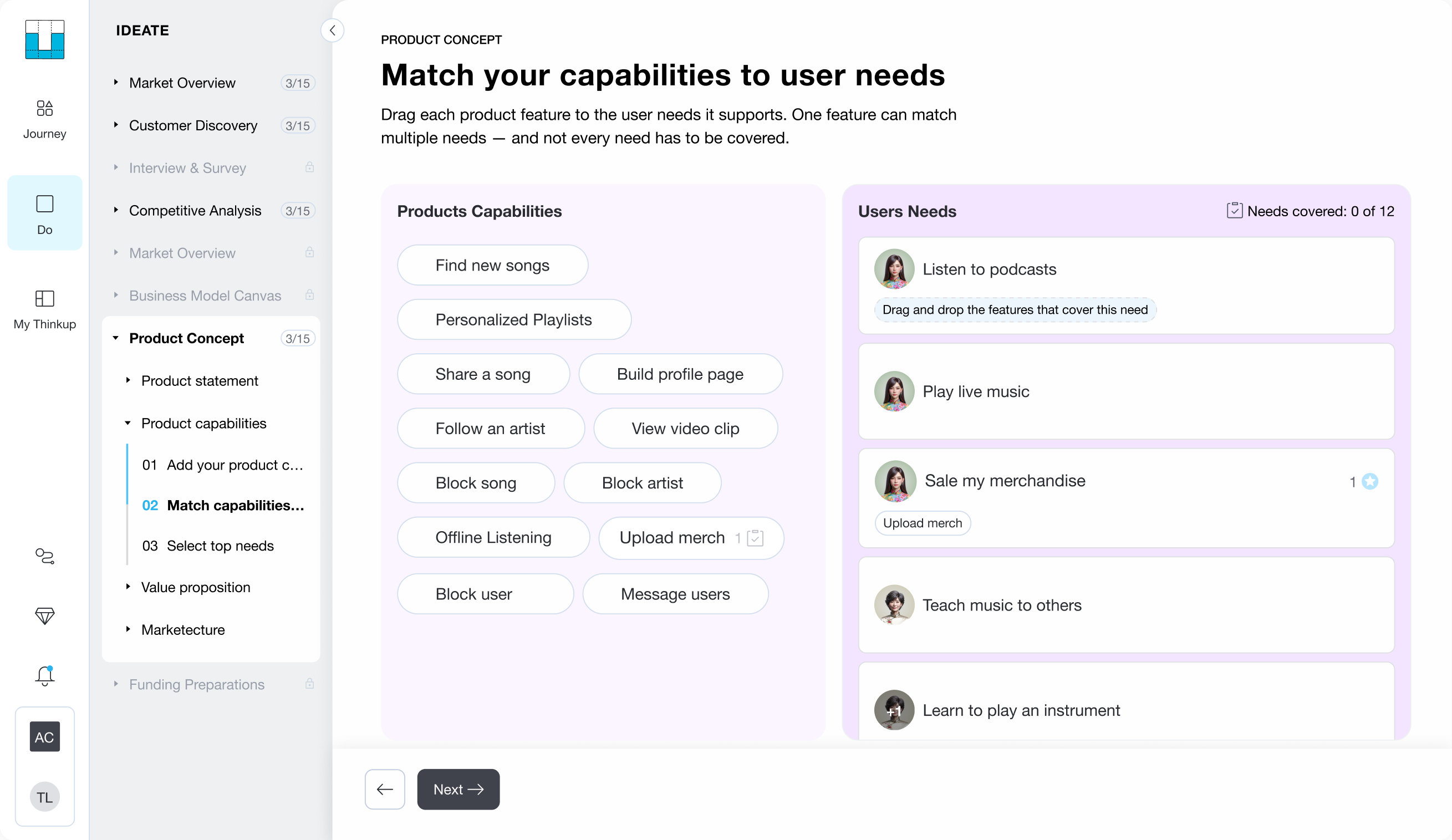
Then we asked them to connect those capabilities to their users' needs.

Match your capabilities to user needs screen

Then we asked them to connect those capabilities to their users' needs.

Match your capabilities to user needs screen

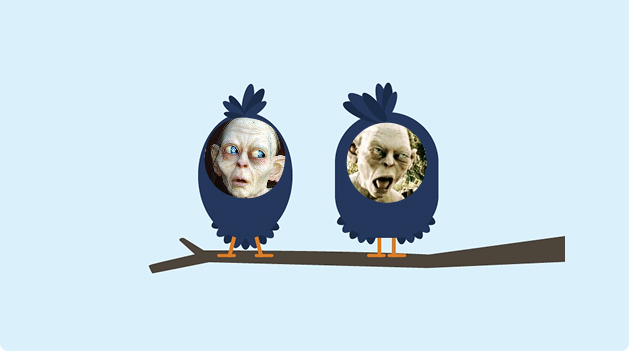
That way we "killed two birds with one stone".

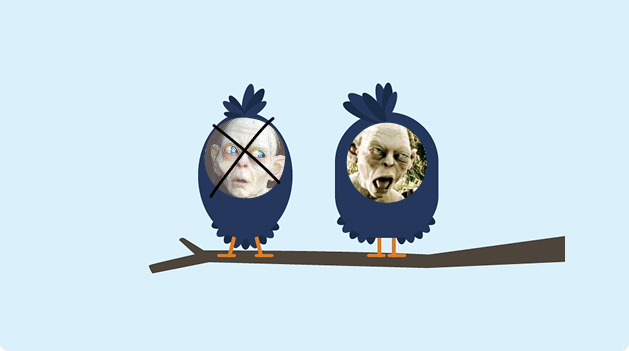
Two birds with Gollum faces — killed two birds with one stone

That way we "killed two birds with one stone".

Two birds with Gollum faces — killed two birds with one stone

We stopped asking founders to choose between needs before they understood what each one was actually worth.

That removed the feelings of loss and frustration entirely.

Two birds on a branch, each with a Gollum-like face

We stopped asking founders to choose between needs before they understood what each one was actually worth.

That removed the feelings of loss and frustration entirely.

Two birds on a branch, each with a Gollum-like face

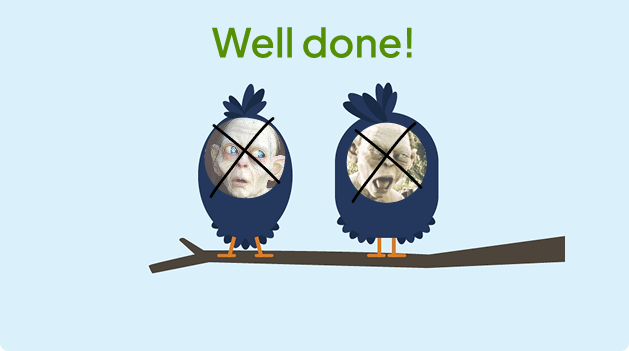
With capabilities free to match any need, the most important ones naturally rose to the top. Just by reordering the flow, we shifted the experience from asking founders to let go of their work to helping them focus.

Two birds on a branch, both crossed out, with 'Well done!' above them

With capabilities free to match any need, the most important ones naturally rose to the top. Just by reordering the flow, we shifted the experience from asking founders to let go of their work to helping them focus.

Two birds on a branch, both crossed out, with 'Well done!' above them

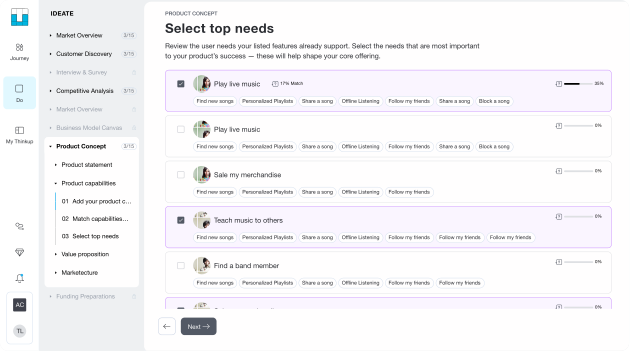
Now, with real context behind each need, it was far easier for founders to pick the ones that mattered and let go of the rest.

Select top needs screen — choosing the most important user needs

Now, with real context behind each need, it was far easier for founders to pick the ones that mattered and let go of the rest.

Select top needs screen — choosing the most important user needs
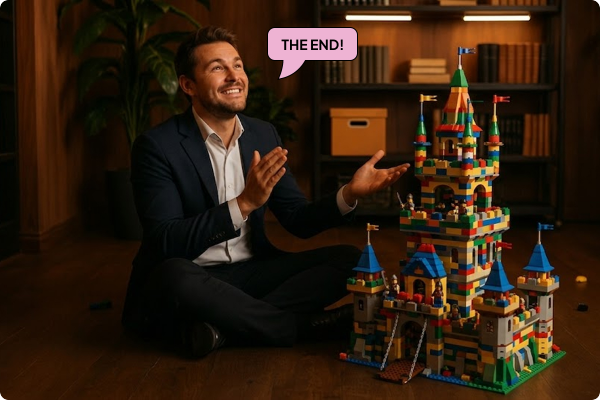
Founder smiling at a completed Lego castle, with a 'The End!' speech bubble

Reducing frustration and increasing focus raised the top needs step completion rate by 12%

Reducing frustration and increasing focus raised the top needs step completion rate by 12%

Founder smiling at a completed Lego castle, with a 'The End!' speech bubble

Use the arrows to move through the slides

Swipe right to see the next slide.

Key takeaways

  • Endowment effectWe value things more once we feel we own them, so giving them up feels like a loss. and loss aversionWe feel losses about twice as strongly as equal gains, so losing hurts more than gaining the same thing feels good. are big forces in how entrepreneurs make product decisions.
  • Reordering user flow can reframePresenting the same situation in a new context to shift how it feels — without changing the facts. Here, switching the flow order turned the experience from loss into gain. the whole experience.
  • Best practice is a hypothesis.

Designed for clarity

Every decision made to guide, not overwhelm.

Watch the full flow Go on. Hit play

Define capabilities

Define capabilities screen
Design decision
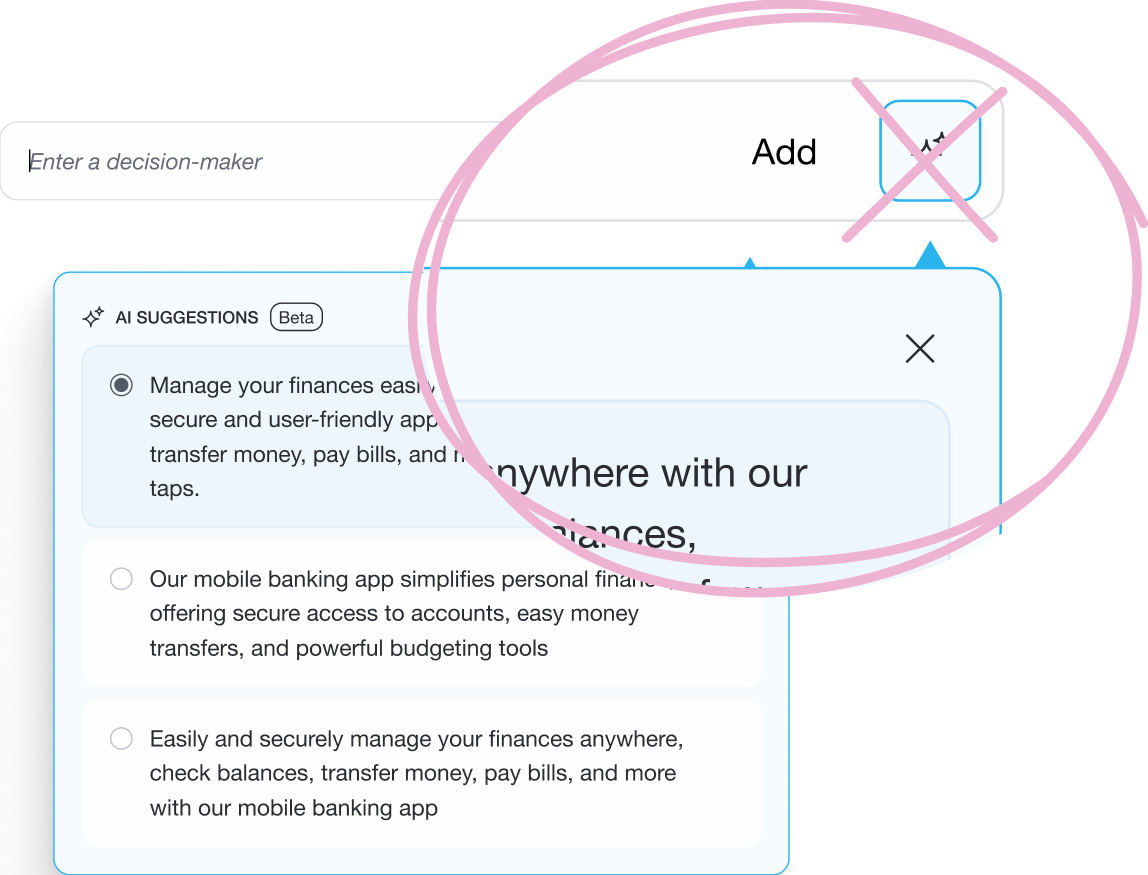
Adding capabilities is intentionally AI-free

  • Founders will eventually stand in front of investors and defend every item on that list. That output had to be genuinely theirs.

Match capabilities to user needs

Match capabilities to user needs screen
Design decision

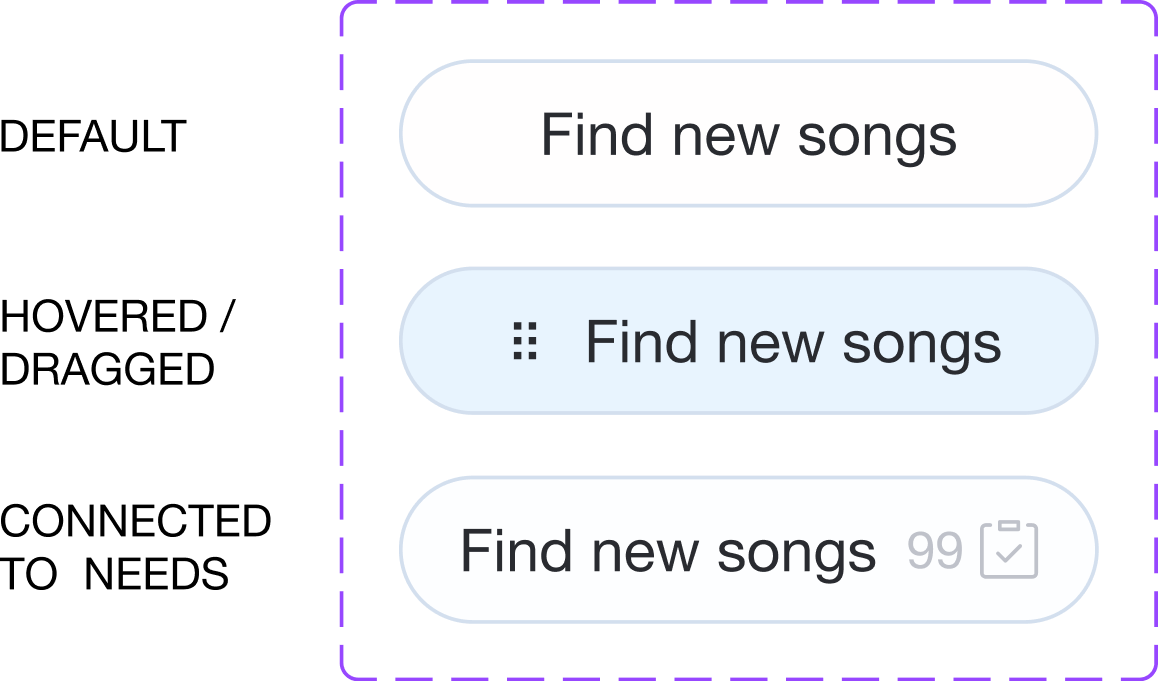
Every chip holds its shape. Every number tells you what it's worth.

  • Three states, one consistent layout. I built each chip to hold its size whether it showed the needs counter, the drag handle, or neither, so the list never shifted.
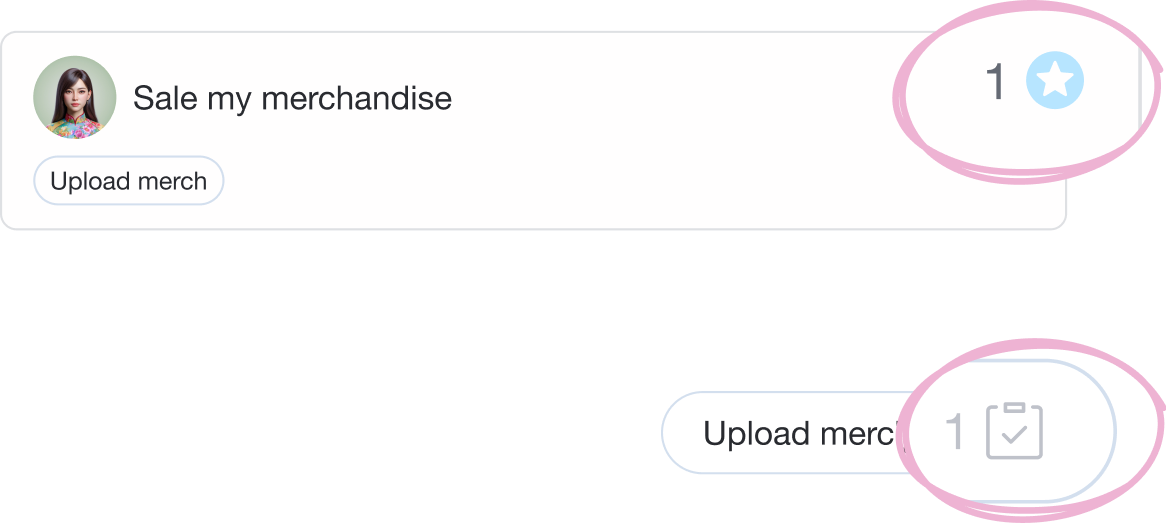
  • I surfaced connection counts in both directions (capability to need, and vice versa) so users always knew what each item was worth.

Select top needs

Select top needs screen
Design decision
Lots of linked capabilities don't guarantee a strong need

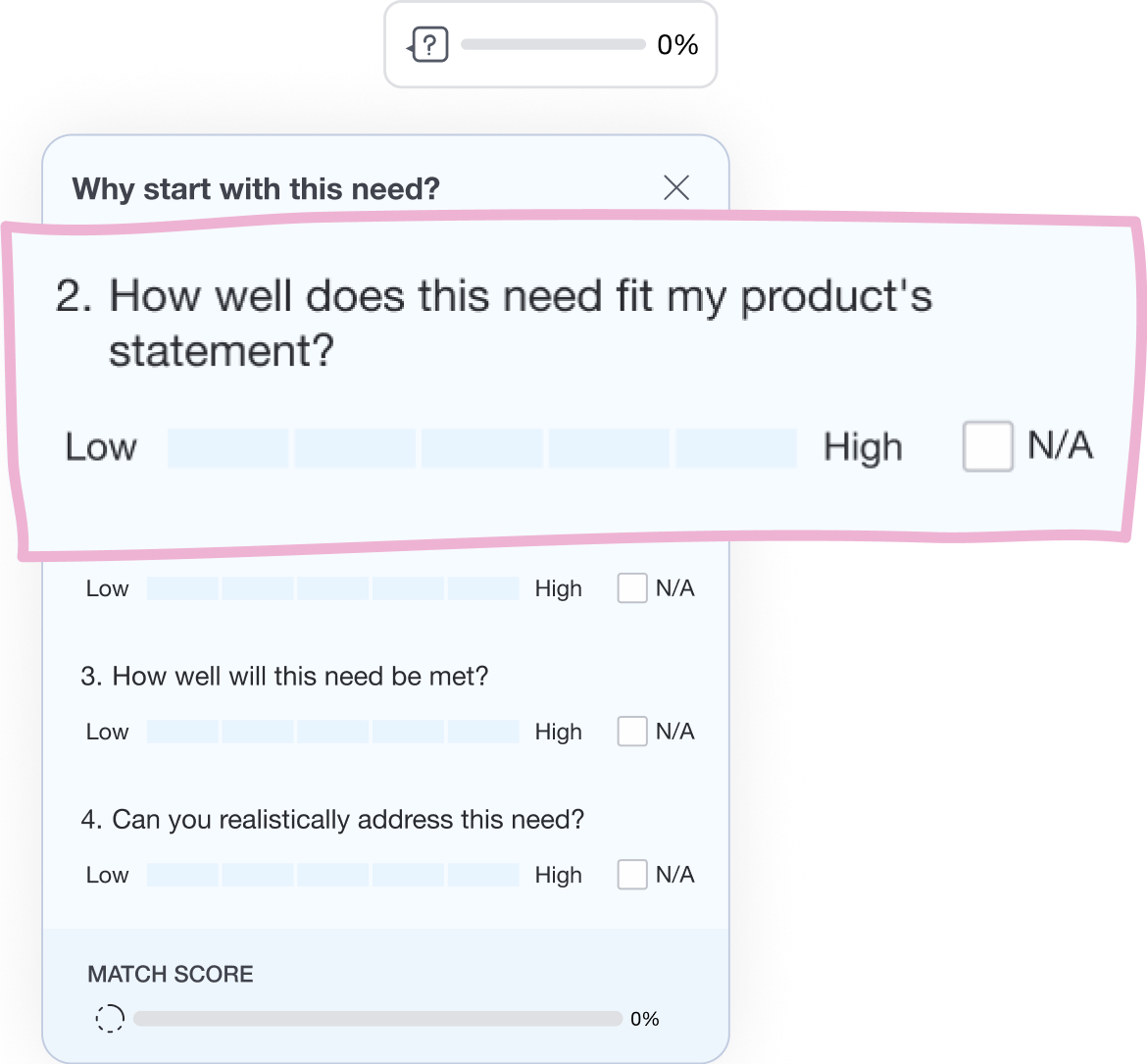
  • Tapping 'Prioritize' opens a match score panel. You rate how well this need fits your product direction, not just how many capabilities it happens to touch.

Product KPI reached

Task completion raised by

12%

Whats next

View next case study

Rotate view to see the full story

Define capabilities screen Match capabilities to user needs screen Select top needs screen
Rotate for better view